3.5 Code editor
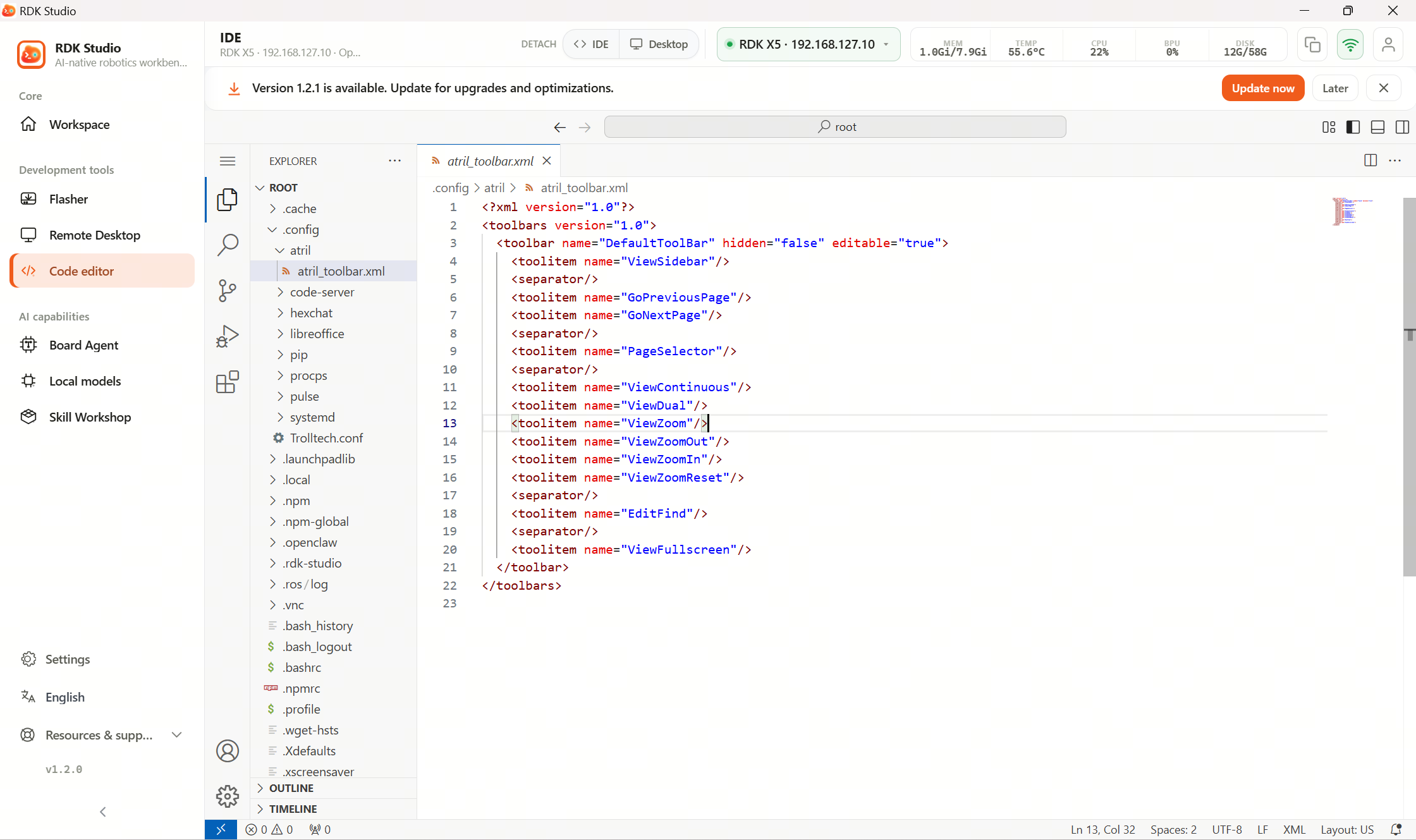
With a device connected, the code editor opens projects in the main region. The desktop app can also tear the editor out into a floating window — handy for docs or Moss side by side.
Code editor is for whole‑project work. Sources stay on device; RDK Studio brings the IDE to the desktop without copying the tree to the PC first.
First-time workflow
| Step | What to do |
|---|---|
| 1 | Add device and confirm online |
| 2 | Open Code editor |
| 3 | If prompted to prepare environment, follow the dialog |
| 4 | Once open, pick project directory on device |
| 5 | For multi‑monitor, pop out editor to a separate window |
Files vs editor
| Scenario | Prefer |
|---|---|
| Tweaking a couple files; quick code peek | 3.4 Files |
| Project work, Git, multi‑file, debugging | Code editor |
| Long command output | 3.3 Terminal or editor‑integrated terminal |
In short: Files = quick patches; Code editor = shipping a project.
First launch
First open runs device checks and onboarding from the page. Best when online, stable network, and ample free disk.
Desktop can float the editor. Enable it when referencing Moss or docs during coding.