3.12 Local LLMs
Local LLMs live under AI Capabilities → Local LLMs. Install and run Ollama on the PC so Moss can call a fast on-device model for lightweight Q&A, summarization, and similar tasks.
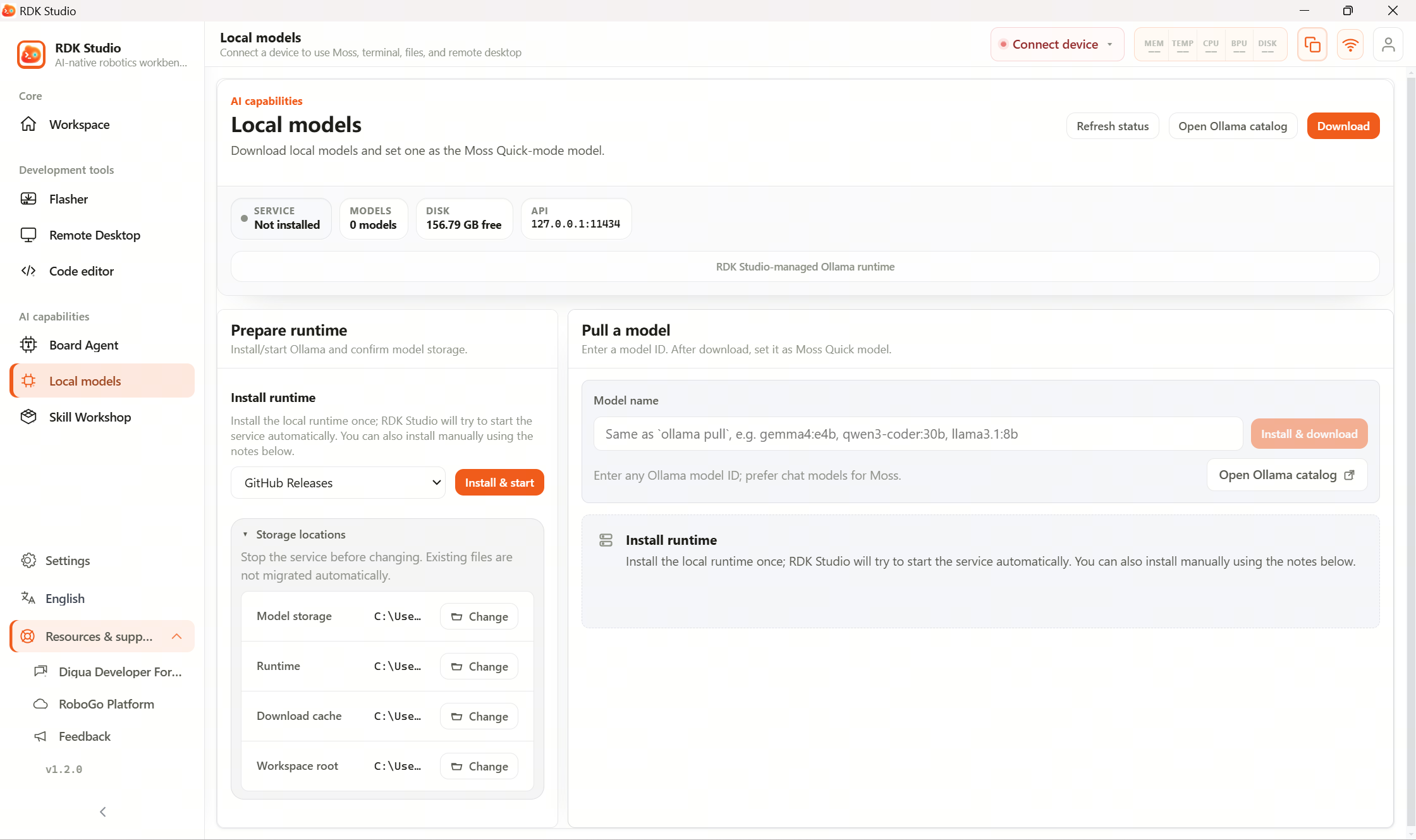
Suggested workflow
| Step | What to do |
|---|---|
| 1 | Open AI Capabilities → Local LLMs |
| 2 | Install or detect the Ollama runtime |
| 3 | Start the local model service |
| 4 | Pull a chat model and run a test |
| 5 | After tests pass, assign it as Moss’s fast model |
What this page covers
| Capability | Description |
|---|---|
| Detect runtime | See whether Ollama is installed and responding |
| Install / update runtime | Download RDK Studio–managed Ollama in the full desktop client |
| Start / stop service | Toggle the local inference daemon |
| Storage management | Inspect model weights, runtime paths, cache, and free disk |
| Download models | Enter a model tag and track progress |
| Test model | Run a minimal chat to confirm responses |
| Fast mode | Promote a model to Moss fast-mode usage |
First-time walkthrough
- Open Local LLMs.
- If prompted that the runtime is missing, choose Install and start.
- After the service is up, type a model name—often a team-recommended small chat model.
- Download and wait for completion.
- Run Test and confirm you get an answer.
- Choose Apply as fast model config so Moss fast mode routes here.
Common states
| State | Meaning | Next step |
|---|---|---|
| Not installed | No usable Ollama runtime | Install via button, or install manually and refresh |
| Installed but stopped | Binaries present, daemon down | Start the service |
| Service failed to start | Another Ollama instance or port conflict | Close duplicate processes or reboot |
| Empty model list | Daemon healthy, no weights yet | Pull a model by name |
| Test failed | Wrong tag, non-chat bundle, or runtime error | Switch models or reinstall weights |
Relationship to AI engine settings
Local LLMs focuses on runtime + weights; Settings → AI engine holds model registry + defaults.
Choosing Apply as fast model config writes or updates an Ollama entry there.
To promote the same weights as a “thinking” model, adjust Settings → AI engine manually.
Relationship to OpenClaw
PC-only models default to localhost. Board OpenClaw generally cannot reach that URL.
For standalone OpenClaw inference, pick a remote endpoint the board can route to, or host a model service on the board and point configuration at a board-local address.