3.10 OpenClaw
OpenClaw is an on-board agent that runs on RDK hardware. Enable AI assistant capabilities on the device by configuring it under AI Capabilities → On-device Agent.
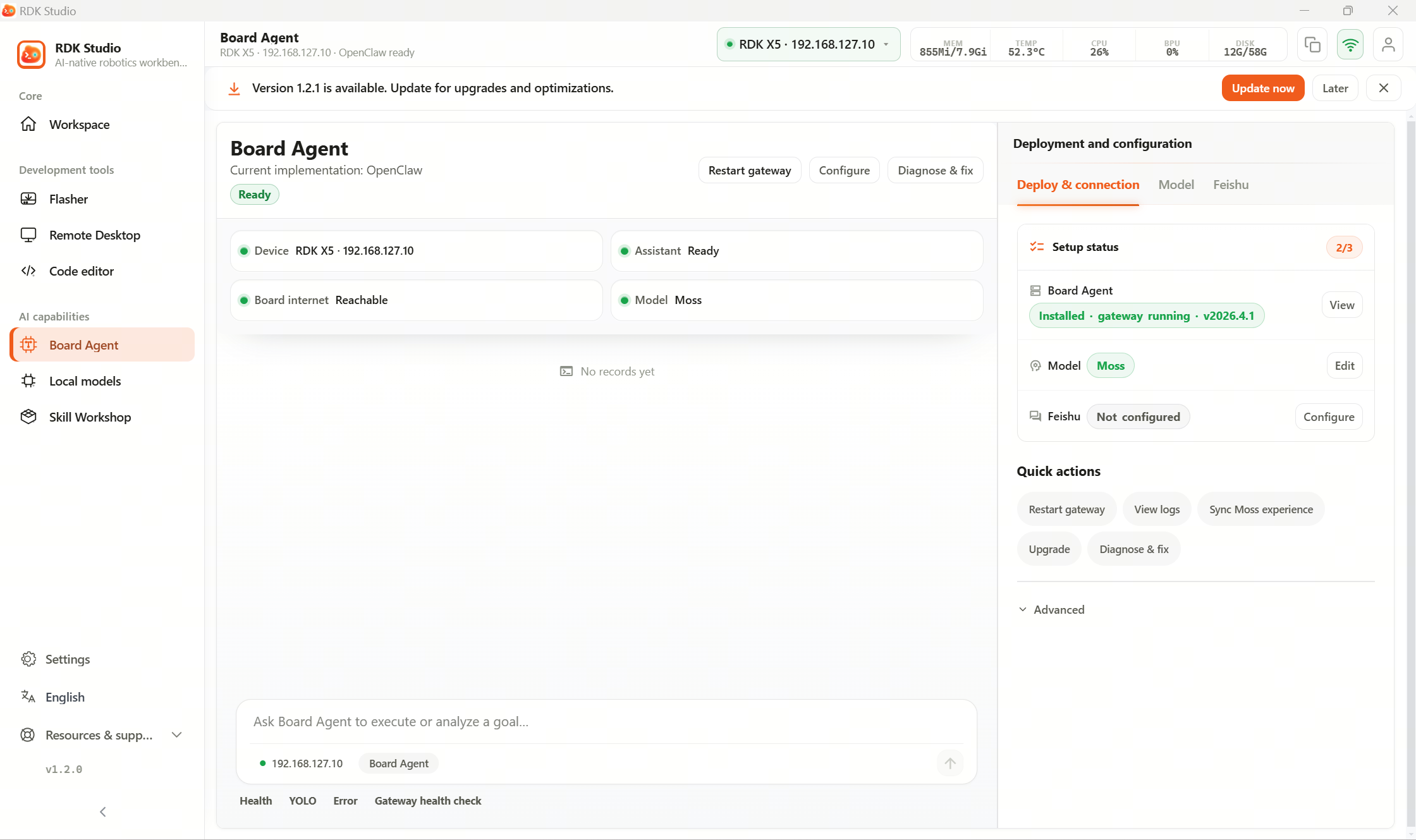
Suggested workflow
| Step | What to do |
|---|---|
| 1 | Confirm the current device is an RDK device and is online |
| 2 | Open the On-device Agent page and check the header status |
| 3 | If not installed yet, follow the page to check prerequisites, then deploy |
| 4 | After deployment, verify model configuration works |
| 5 | Once status is OK, use on-board chat, skills, or message channels |
What you can do on this page
| Area | Purpose |
|---|---|
| Header status | See whether on-board Agent, models, and network are ready |
| Deploy & connection | Deploy, redeploy, or uninstall OpenClaw |
| Diagnose & fix | Review warnings and follow suggested actions |
| Models | Configure models OpenClaw can use |
| Feishu integration | Set up Feishu bot app and pairing |
| On-board chat | After OpenClaw is ready, talk to the on-board assistant directly |
When you need OpenClaw
| Scenario | Recommendation |
|---|---|
| Short-term debugging with your PC always online | Moss plus SSH is enough |
| Need the on-board agent to handle device-centric tasks | Deploy OpenClaw |
| Need to deploy skills to the device | Deploy OpenClaw, then sync from Skill Workshop |
| Non-RDK Linux host | OpenClaw deployment not offered by default—prefer local Moss skills |
Before deployment
- The device must be added over SSH and be online.
- The device network must reach required files during deployment.
- Enough free space on the board for installation.
- Any model OpenClaw uses must be reachable from the board; a PC-local Ollama URL is usually not reachable from the board.
If OpenClaw is missing, the page guides you step by step. Actions that affect device state (deploy, uninstall, redeploy) always ask you to confirm first.
Confirm the target device and scope of impact before any operation that writes files, runs commands, or restarts services.
Further reading
- 3.10.2 Deploy and uninstall: Prerequisites, one-click deployment, troubleshooting, uninstall.
- 3.10.3 View status and configure: Status, models, and on-board chat.