3.3.1 Basic Image Classification Example Introduction
Example Overview
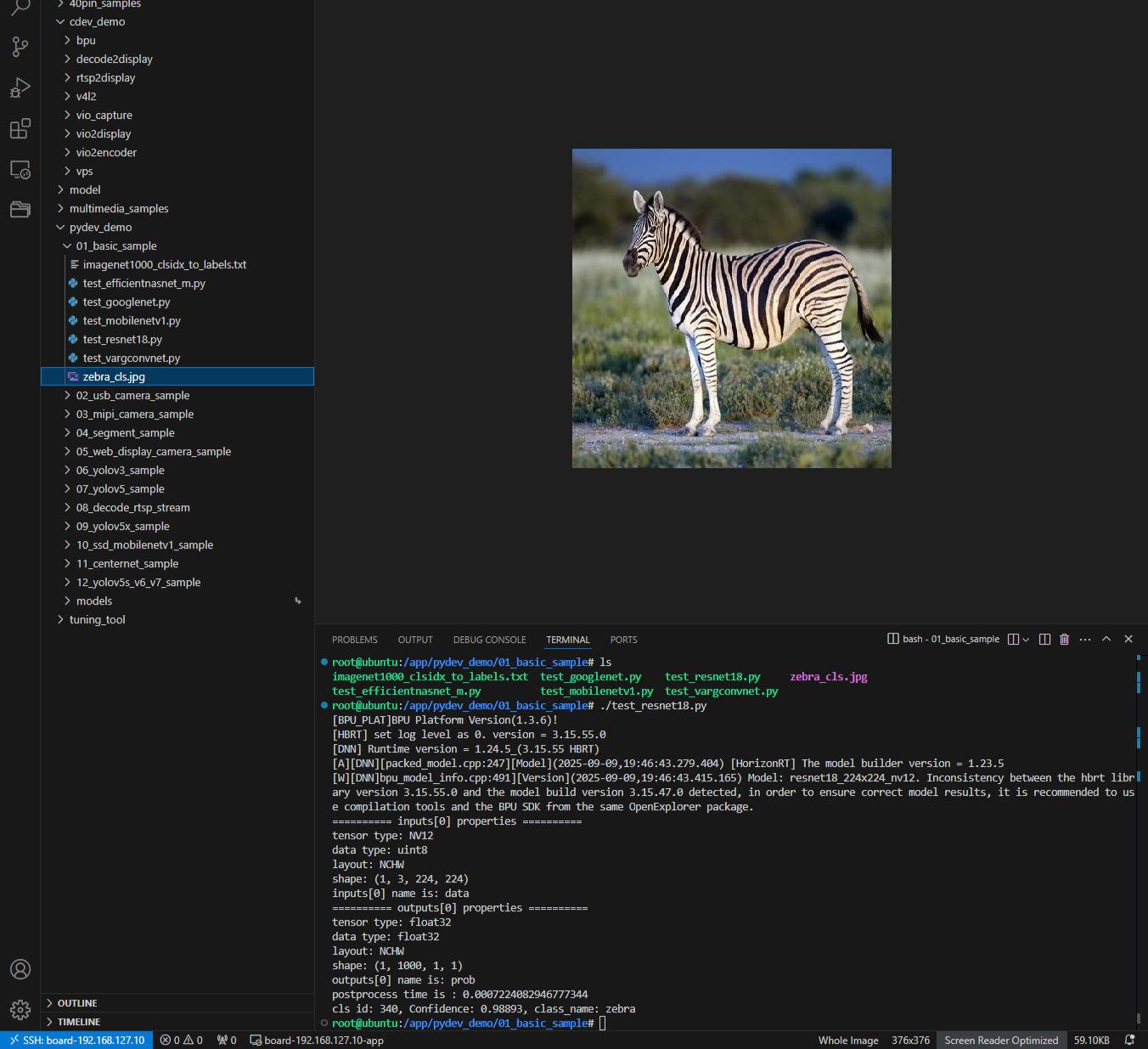
The basic image classification example is a set of Python interface development code samples located in /app/pydev_demo/01_basic_sample/, demonstrating how to use the hobot_dnn module for image classification tasks. These examples implement the same image classification functionality based on different neural network models.
Included model examples:
- test_resnet18.py - Image classification using ResNet18 model
- test_efficientnasnet_m.py - Image classification using EfficientNasNet model
- test_googlenet.py - Image classification using GoogleNet model
- test_mobilenetv1.py - Image classification using MobileNetV1 model
- test_vargconvnet.py - Image classification using VargConvNet model
Effect Demonstration
Hardware Preparation
Hardware Connection
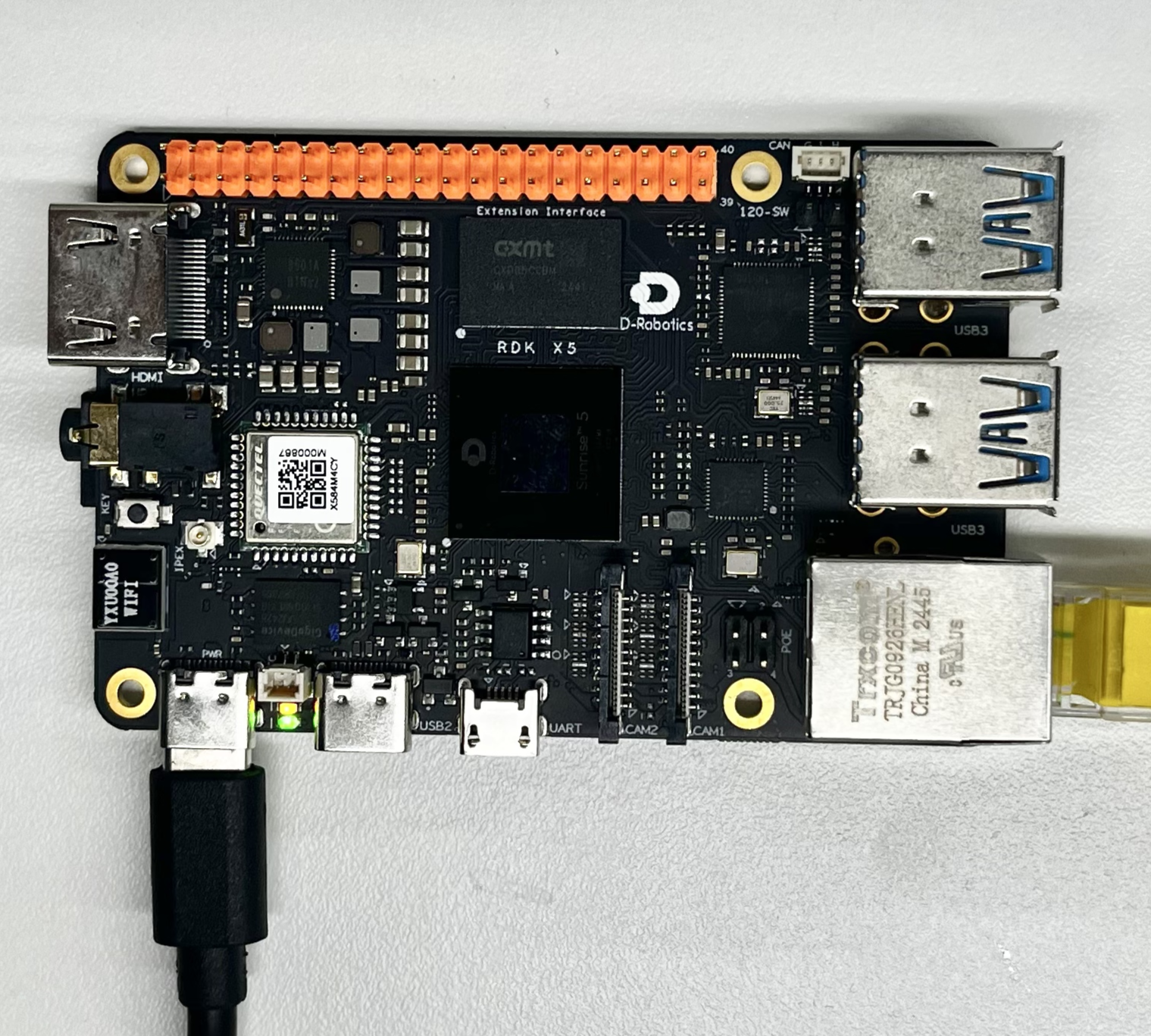
This example only requires the RDK development board itself, without additional peripheral connections. Ensure the development board is properly powered and the system is booted.
Quick Start
Code and Board Location
Navigate to /app/pydev_demo/01_basic_sample/ location, where you can see the basic example contains multiple model test files:
root@ubuntu:/app/pydev_demo/01_basic_sample# tree
.
├── imagenet1000_clsidx_to_labels.txt
├── test_efficientnasnet_m.py
├── test_googlenet.py
├── test_mobilenetv1.py
├── test_resnet18.py
├── test_vargconvnet.py
└── zebra_cls.jpg
Compilation and Execution
Python examples do not require compilation and can be run directly.
Execution Results
root@ubuntu:/app/pydev_demo/01_basic_sample# ./test_resnet18.py
[BPU_PLAT]BPU Platform Version(1.3.6)!
[HBRT] set log level as 0. version = 3.15.55.0
[DNN] Runtime version = 1.24.5_(3.15.55 HBRT)
[A][DNN][packed_model.cpp:247][Model](2025-09-09,19:46:43.279.404) [HorizonRT] The model builder version = 1.23.5
[W][DNN]bpu_model_info.cpp:491][Version](2025-09-09,19:46:43.415.165) Model: resnet18_224x224_nv12. Inconsistency between the hbrt library version 3.15.55.0 and the model build version 3.15.47.0 detected, in order to ensure correct model results, it is recommended to use compilation tools and the BPU SDK from the same OpenExplorer package.
========== inputs[0] properties ==========
tensor type: NV12
data type: uint8
layout: NCHW
shape: (1, 3, 224, 224)
inputs[0] name is: data
========== outputs[0] properties ==========
tensor type: float32
data type: float32
layout: NCHW
shape: (1, 1000, 1, 1)
outputs[0] name is: prob
postprocess time is : 0.0007224082946777344
cls id: 340, Confidence: 0.98893, class_name: zebra
root@ubuntu:/app/pydev_demo/01_basic_sample#
Detailed Introduction
Example Program Parameter Options Description
The basic classification example does not require command line parameters and can be run directly. The program will automatically load the zebra_cls.jpg image in the same directory for inference.
Software Architecture Description
This example demonstrates the execution effects of different models through different Python code samples, but the software architecture is basically consistent. Therefore, it is explained uniformly here. The software architecture of the example program includes the following core parts:
-
Model Loading: Using
hobot_dnn.pyeasy_dnnmodule to load precompiled model files -
Image Preprocessing: Converting input images to NV12 format and specified dimensions required by the model
-
Model Inference: Calling the model for forward computation
-
Post-processing: Using libpostprocess library to parse inference results
-
Result Output: Outputting classification results and confidence scores

API Flow Description

FAQ
Q: What should I do when encountering "ModuleNotFoundError: No module named 'hobot_dnn'" error while running the example?
A: Please ensure that the RDK Python environment and official dedicated inference libraries such as the hobot_dnn module are properly installed.
Q: How to change the test image?
A: Place the new image file in the example directory and modify img_file = cv2.imread('image path') in the code.
Q: What are the differences between different model files?
A: Different models have differences in accuracy, inference speed, and model size. ResNet18 has higher accuracy but slightly slower speed, while MobileNetV1 is faster but with slightly lower accuracy. Choose the appropriate model according to actual requirements.
Q: How to obtain other pre-trained models?
A: You can refer to model_zoo repository or toolchain's basic model repository