YOLOv3 Model
Introduction
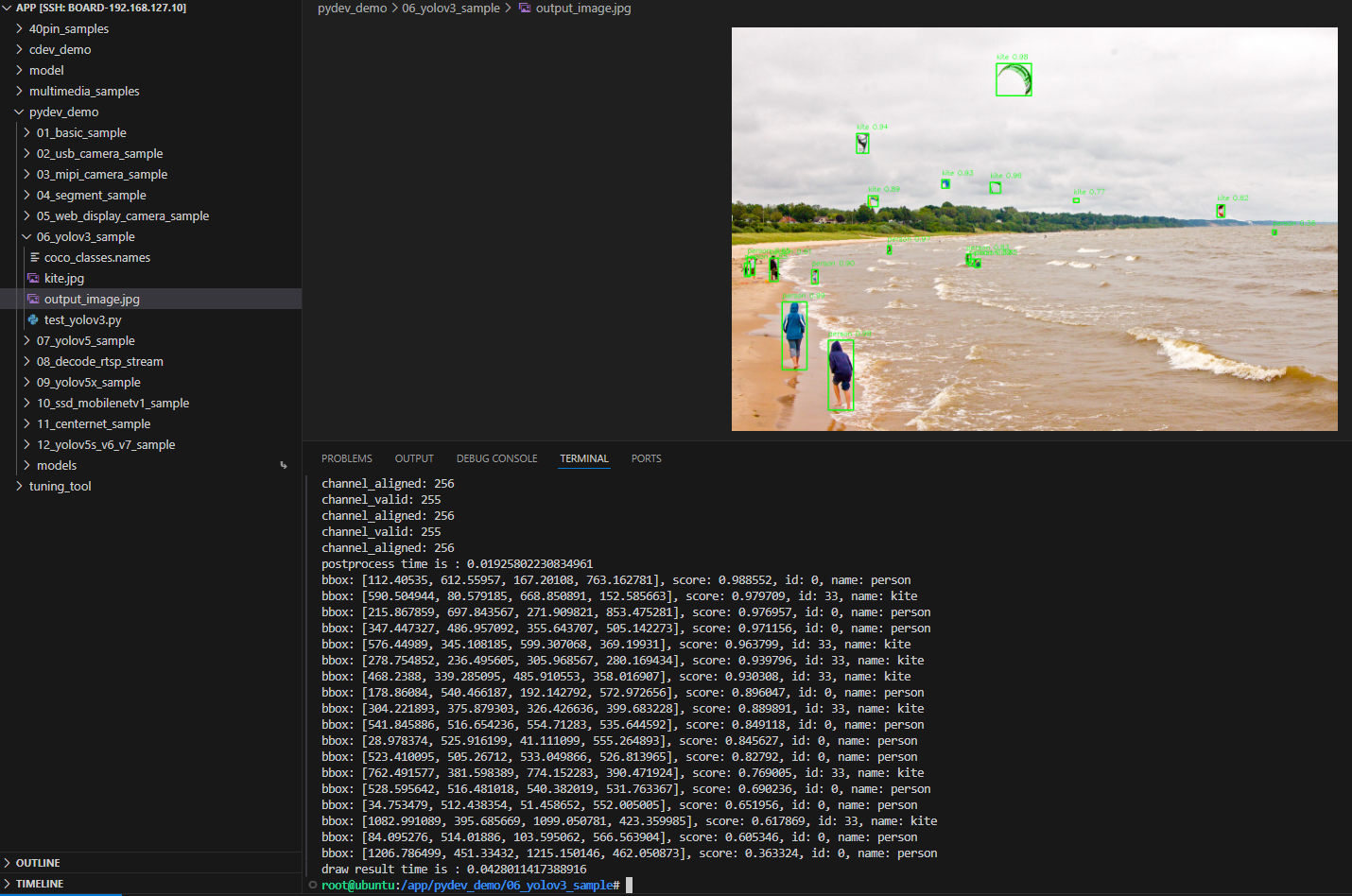
The YOLOv3 sample under /app/pydev_demo/06_yolov3_sample/ is a Python API example for static-image object detection with YOLOv3. It draws boxes and scores on the image.
Demo
Hardware setup
Connections
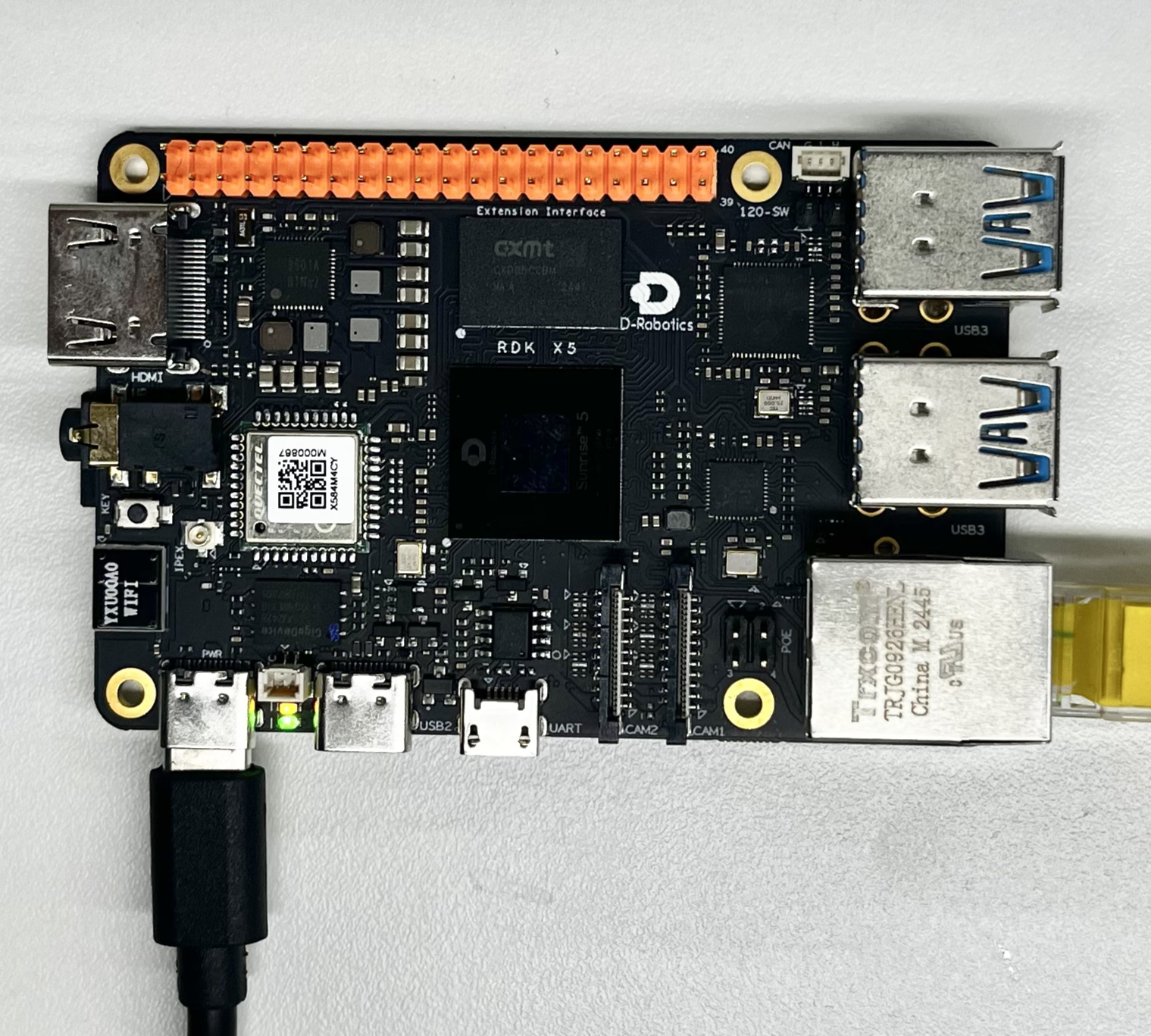
Only the RDK board is required.
Quick start
Code location on device
root@ubuntu:/app/pydev_demo/06_yolov3_sample# tree
.
├── coco_classes.names
├── kite.jpg
└── test_yolov3.py
Build and run
No compilation; run the script directly.
Sample output
Loads YOLOv3, runs on kite.jpg, writes output_image.jpg.
root@ubuntu:/app/pydev_demo/06_yolov3_sample# ./test_yolov3.py
[BPU_PLAT]BPU Platform Version(1.3.6)!
[HBRT] set log level as 0. version = 3.15.55.0
[DNN] Runtime version = 1.24.5_(3.15.55 HBRT)
[A][DNN][packed_model.cpp:247][Model](2025-09-10,10:35:11.677.325) [HorizonRT] The model builder version = 1.23.5
[W][DNN]bpu_model_info.cpp:491][Version](2025-09-10,10:35:12.46.71) Model: yolov3_vargdarknet_416x416_nv12. Inconsistency between the hbrt library version 3.15.55.0 and the model build version 3.15.47.0 detected, in order to ensure correct model results, it is recommended to use compilation tools and the BPU SDK from the same OpenExplorer package.
tensor type: NV12
data type: uint8
layout: NCHW
shape: (1, 3, 416, 416)
3
tensor type: int32
data type: int32
layout: NHWC
shape: (1, 13, 13, 255)
tensor type: int32
data type: int32
layout: NHWC
shape: (1, 26, 26, 255)
tensor type: int32
data type: int32
layout: NHWC
shape: (1, 52, 52, 255)
inferece time is : 0.020566940307617188
channel_valid: 255
channel_aligned: 256
channel_valid: 255
channel_aligned: 256
channel_valid: 255
channel_aligned: 256
postprocess time is : 0.01925802230834961
bbox: [112.40535, 612.55957, 167.20108, 763.162781], score: 0.988552, id: 0, name: person
bbox: [590.504944, 80.579185, 668.850891, 152.585663], score: 0.979709, id: 33, name: kite
bbox: [215.867859, 697.843567, 271.909821, 853.475281], score: 0.976957, id: 0, name: person
bbox: [347.447327, 486.957092, 355.643707, 505.142273], score: 0.971156, id: 0, name: person
bbox: [576.44989, 345.108185, 599.307068, 369.19931], score: 0.963799, id: 33, name: kite
bbox: [278.754852, 236.495605, 305.968567, 280.169434], score: 0.939796, id: 33, name: kite
bbox: [468.2388, 339.285095, 485.910553, 358.016907], score: 0.930308, id: 33, name: kite
bbox: [178.86084, 540.466187, 192.142792, 572.972656], score: 0.896047, id: 0, name: person
bbox: [304.221893, 375.879303, 326.426636, 399.683228], score: 0.889891, id: 33, name: kite
bbox: [541.845886, 516.654236, 554.71283, 535.644592], score: 0.849118, id: 0, name: person
bbox: [28.978374, 525.916199, 41.111099, 555.264893], score: 0.845627, id: 0, name: person
bbox: [523.410095, 505.26712, 533.049866, 526.813965], score: 0.82792, id: 0, name: person
bbox: [762.491577, 381.598389, 774.152283, 390.471924], score: 0.769005, id: 33, name: kite
bbox: [528.595642, 516.481018, 540.382019, 531.763367], score: 0.690236, id: 0, name: person
bbox: [34.753479, 512.438354, 51.458652, 552.005005], score: 0.651956, id: 0, name: person
bbox: [1082.991089, 395.685669, 1099.050781, 423.359985], score: 0.617869, id: 33, name: kite
bbox: [84.095276, 514.01886, 103.595062, 566.563904], score: 0.605346, id: 0, name: person
bbox: [1206.786499, 451.33432, 1215.150146, 462.050873], score: 0.363324, id: 0, name: person
draw result time is : 0.0428011417388916
root@ubuntu:/app/pydev_demo/06_yolov3_sample#
Details
Command-line options
No arguments; uses kite.jpg in the same directory.
Software architecture
- Load YOLOv3 with
pyeasy_dnn - Preprocess to NV12 416×416
- Forward pass
- Post-process with libpostprocess
- Draw and save
output_image.jpg

API flow
models = dnn.load('../models/yolov3_416x416_nv12.bin')- Resize and convert to NV12
outputs = models[0].forward(nv12_data)- Configure post-processing (size, thresholds)
- Parse tensors
- Draw boxes and labels
- Save image

FAQ
Q: No module named 'hobot_dnn'.
A: Install the RDK Python environment and official inference packages.
Q: Change test image?
A: Add your image and set img_file = cv2.imread('...').
Q: Poor accuracy?
A: YOLOv3 is COCO-trained; fine-tune or pick another model for your domain.
Q: Adjust threshold?
A: Edit yolov3_postprocess_info.score_threshold (e.g. 0.5).
Q: Video?
A: Extend the code for frame loops / video input.
Q: More YOLO models?
A: model_zoo or hobot_model.