USB Camera Sample
Introduction
The USB camera samples are two Python examples under /app/pydev_demo/02_usb_camera_sample/ that show how to capture and process images from a USB camera:
- usb_camera_fcos.py — real-time object detection: runs FCOS on the live USB camera stream and shows results on HDMI.
- usb_camera_snap.py — single-frame capture: grabs one frame from the USB camera and saves it to a file.
Demo
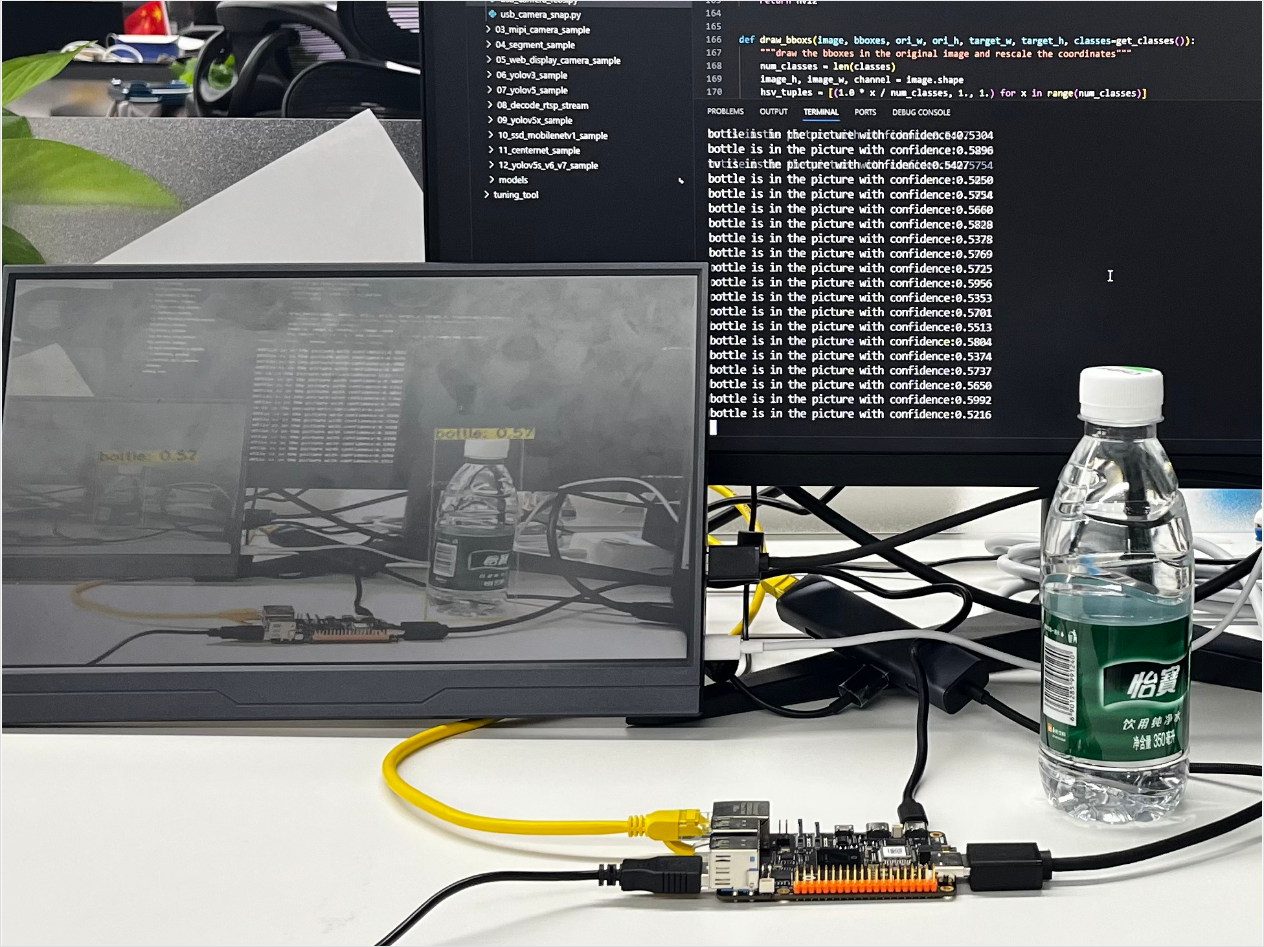
usb_camera_fcos.py
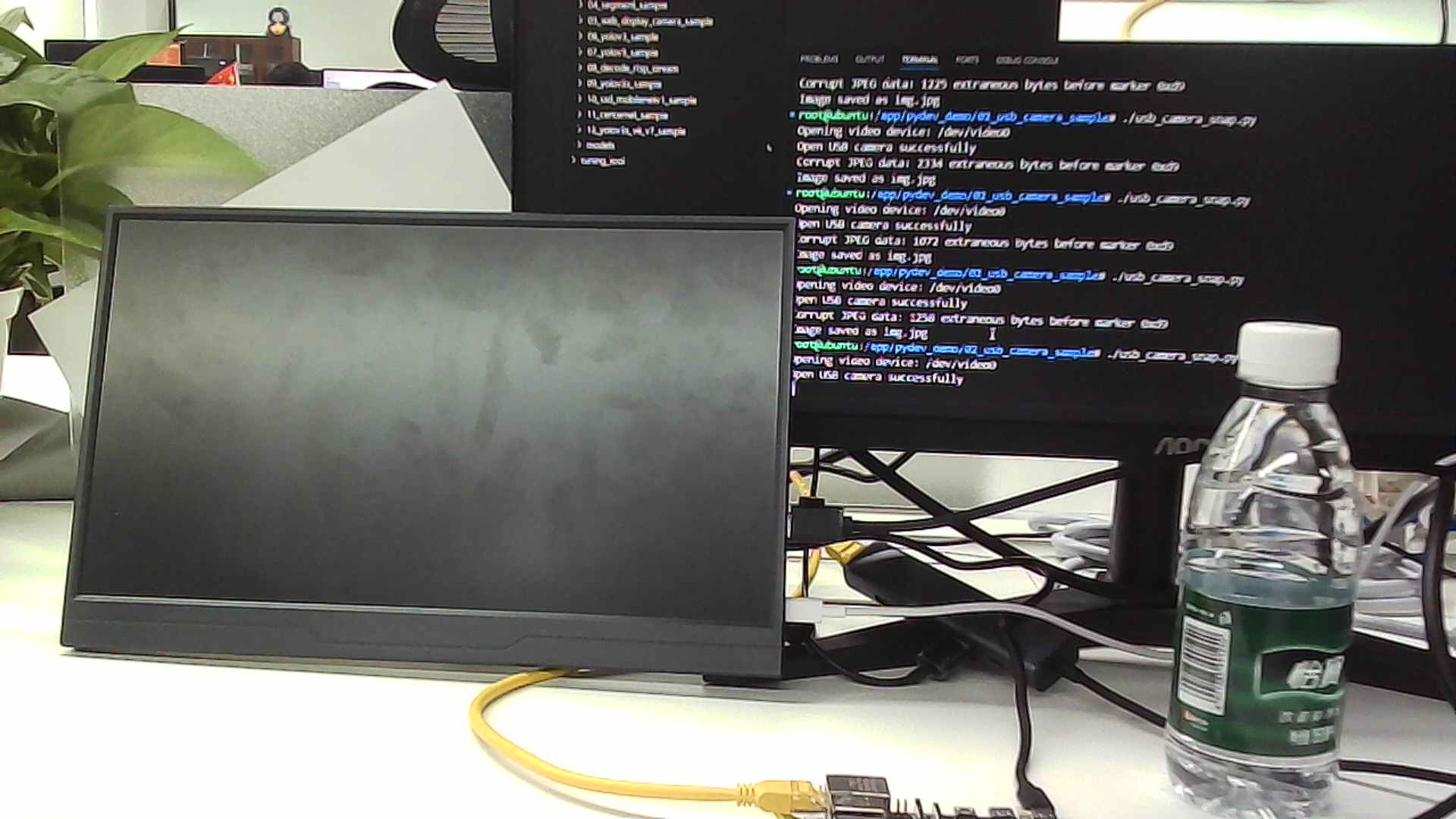
usb_camera_snap.py
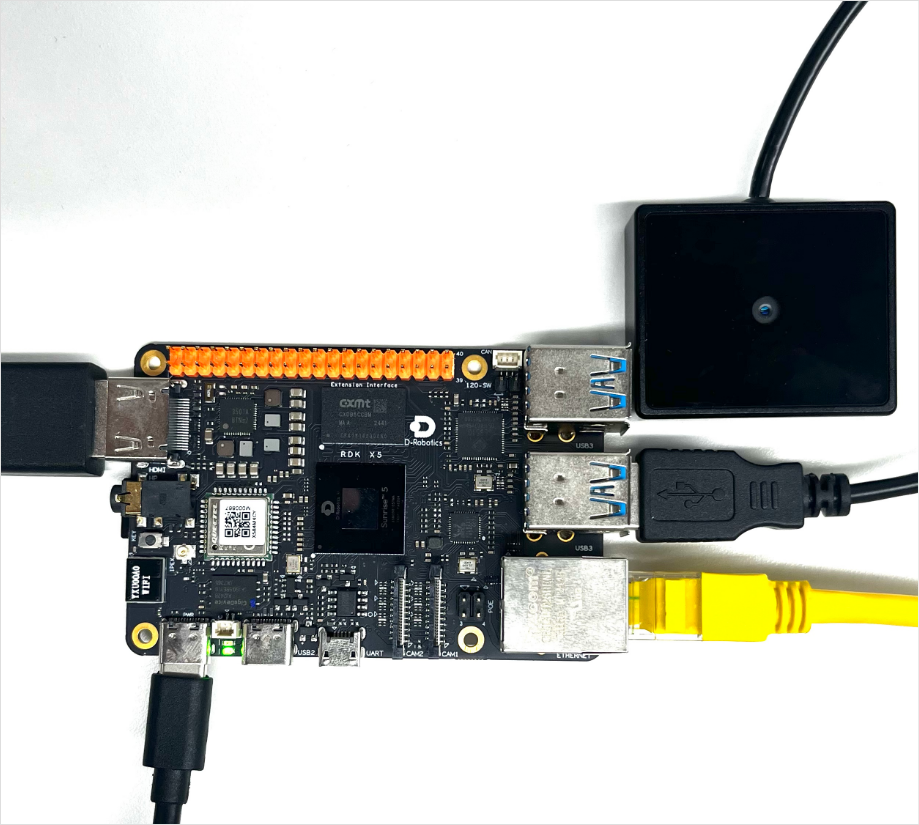
Hardware setup
Connections
- One RDK board
- USB camera plugged into the board’s USB port
- HDMI cable between the board and a display (required only for
usb_camera_fcos.py) - Power and Ethernet
Quick start
Code location on device
Under /app/pydev_demo/02_usb_camera_sample/ you will find:
root@ubuntu:/app/pydev_demo/02_usb_camera_sample# tree
.
├── usb_camera_fcos.py
└── usb_camera_snap.py
Build and run
Python samples do not require compilation; run them directly.
Run usb_camera_snap.py:
python3 usb_camera_snap.py
Run usb_camera_fcos.py:
python3 usb_camera_fcos.py
Sample output
usb_camera_snap.py: the program finds an available USB camera, captures one frame, and saves it as img.jpg in the current directory.
root@ubuntu:/app/pydev_demo/02_usb_camera_sample# ./usb_camera_snap.py
Opening video device: /dev/video0
Open USB camera successfully
Corrupt JPEG data: 766 extraneous bytes before marker 0xd9
Image saved as img.jpg
usb_camera_fcos.py: the program finds an available USB camera and runs real-time detection. Results are shown on HDMI and detection info plus FPS are printed to the console.
root@ubuntu:/app/pydev_demo/02_usb_camera_sample# ./usb_camera_fcos.py
[BPU_PLAT]BPU Platform Version(1.3.6)!
[HBRT] set log level as 0. version = 3.15.55.0
[DNN] Runtime version = 1.24.5_(3.15.55 HBRT)
[A][DNN][packed_model.cpp:247][Model](2000-01-01,08:05:40.810.884) [HorizonRT] The model builder version = 1.23.5
[W][DNN]bpu_model_info.cpp:491][Version](2000-01-01,08:05:40.891.732) Model: fcos_efficientnetb0_512x512_nv12. Inconsistency between the hbrt library version 3.15.55.0 and the model build version 3.15.47.0 detected, in order to ensure correct model results, it is recommended to use compilation tools and the BPU SDK from the same OpenExplorer package.
tensor type: NV12
data type: uint8
layout: NCHW
shape: (1, 3, 512, 512)
15
tensor type: int32
data type: int32
layout: NHWC
shape: (1, 64, 64, 80)
tensor type: int32
data type: int32
layout: NHWC
shape: (1, 32, 32, 80)
tensor type: int32
data type: int32
layout: NHWC
shape: (1, 16, 16, 80)
tensor type: int32
data type: int32
layout: NHWC
shape: (1, 8, 8, 80)
tensor type: int32
data type: int32
layout: NHWC
shape: (1, 4, 4, 80)
tensor type: int32
data type: int32
layout: NHWC
shape: (1, 64, 64, 4)
tensor type: int32
data type: int32
layout: NHWC
shape: (1, 32, 32, 4)
tensor type: int32
data type: int32
layout: NHWC
shape: (1, 16, 16, 4)
tensor type: int32
data type: int32
layout: NHWC
shape: (1, 8, 8, 4)
tensor type: int32
data type: int32
layout: NHWC
shape: (1, 4, 4, 4)
tensor type: int32
data type: int32
layout: NCHW
shape: (1, 64, 64, 1)
tensor type: int32
data type: int32
layout: NCHW
shape: (1, 32, 32, 1)
tensor type: int32
data type: int32
layout: NCHW
shape: (1, 16, 16, 1)
tensor type: int32
data type: int32
layout: NCHW
shape: (1, 8, 8, 1)
tensor type: int32
data type: int32
layout: NCHW
shape: (1, 4, 4, 1)
Opening video device: /dev/video0
Open usb camera successfully
1920x1080
1280x800
1280x720
720x576
720x480
640x480
No suitable display method found.
Running without preview window
person is in the picture with confidence:0.5758
Frame#1 (1 fps) [2000-01-01 08:05:41]
person is in the picture with confidence:0.6214
person is in the picture with confidence:0.6050

...............
Details
Command-line options
Both samples accept an optional USB camera device node; if omitted, the first available camera is used.
- Run with a specific device:
python3 usb_camera_snap.py /dev/video8
python3 usb_camera_fcos.py /dev/video8
Software architecture
The two scripts implement different flows and are described separately.
usb_camera_snap.py
- Discover the USB camera automatically.
- Configure the camera: MJPEG output, 1920×1080.
- Capture one frame.
- Save the image as JPEG.

usb_camera_fcos.py
- Load the FCOS detection model.
- Discover and configure the camera (same as above, but 640×480).
- Initialize HDMI display.
- Real-time loop: grab frame → preprocess → infer → post-process → draw boxes → show → print FPS.

API flow
usb_camera_snap.py — uses mainly OpenCV APIs, not the SP API.

usb_camera_fcos.py — uses OpenCV plus display resources and model APIs from sp_dev.

FAQ
Q: The sample prints No USB camera found.
A: Check the USB connection and that a node such as /dev/video8 exists. Use v4l2-ctl --list-devices to list cameras.
Q: HDMI output from usb_camera_fcos.py looks wrong.
A: Check the HDMI cable and stop the display manager if needed (e.g. systemctl stop lightdm).
Q: How do I change the detection threshold in usb_camera_fcos.py?
A: Edit fcos_postprocess_info.score_threshold in code (e.g. set to 0.5).
Q: How do I change the save path in usb_camera_snap.py?
A: Change the cv2.imwrite path to a full path such as /home/root/image.jpg.
Q: Low FPS in usb_camera_fcos.py.
A: Lower the camera resolution or use a lighter model.