RTSP Stream Decode
Introduction
The RTSP decode sample under /app/pydev_demo/08_decode_rtsp_stream/ shows how to receive H.264/H.265 from an RTSP stream, decode with hardware, run BPU inference, and display results. It covers RTSP receive, decode, processing, inference, and HDMI output.
Demo
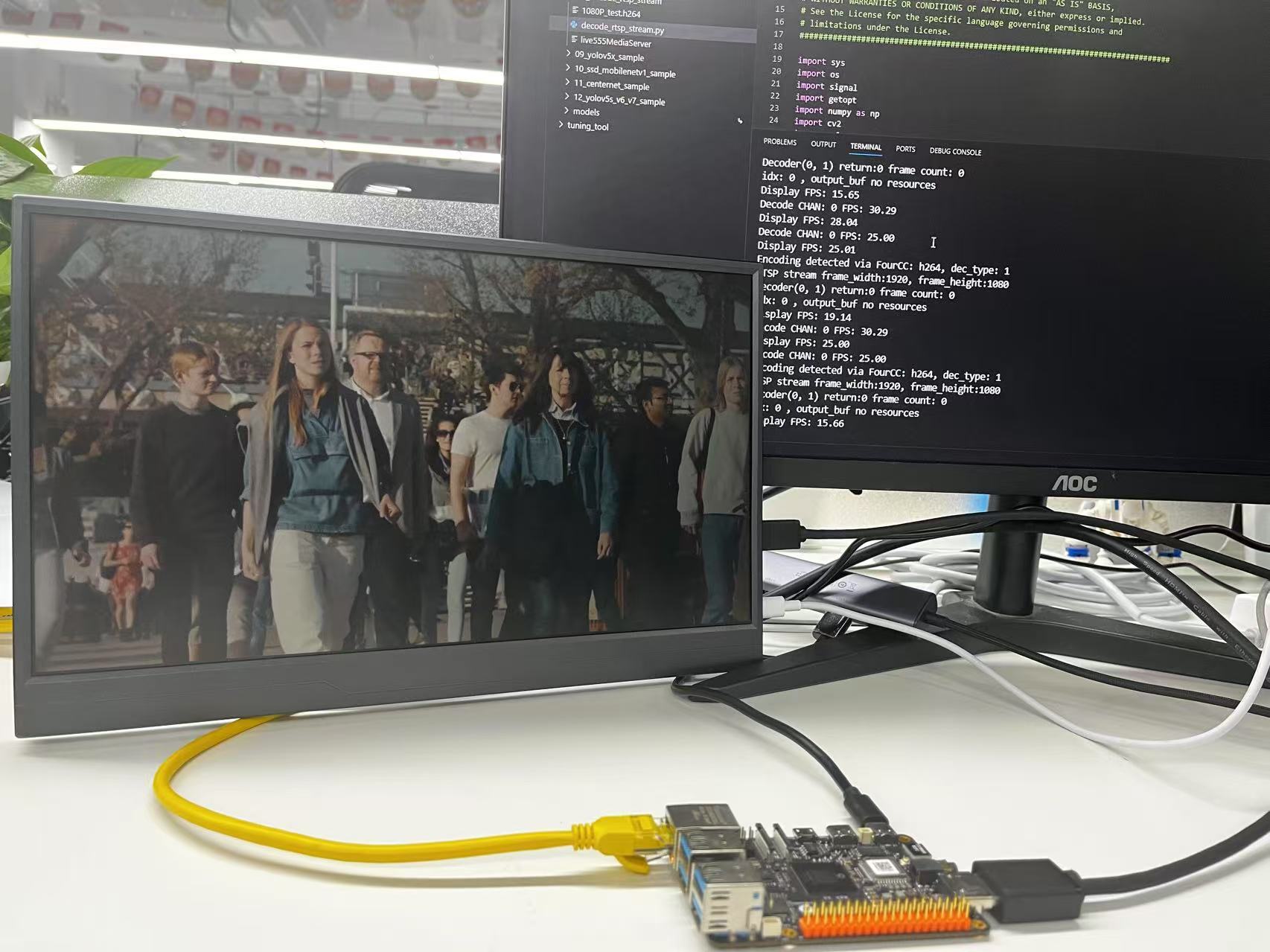
Hardware setup
Connections
- RDK board
- HDMI to a display
- Ethernet
- Power
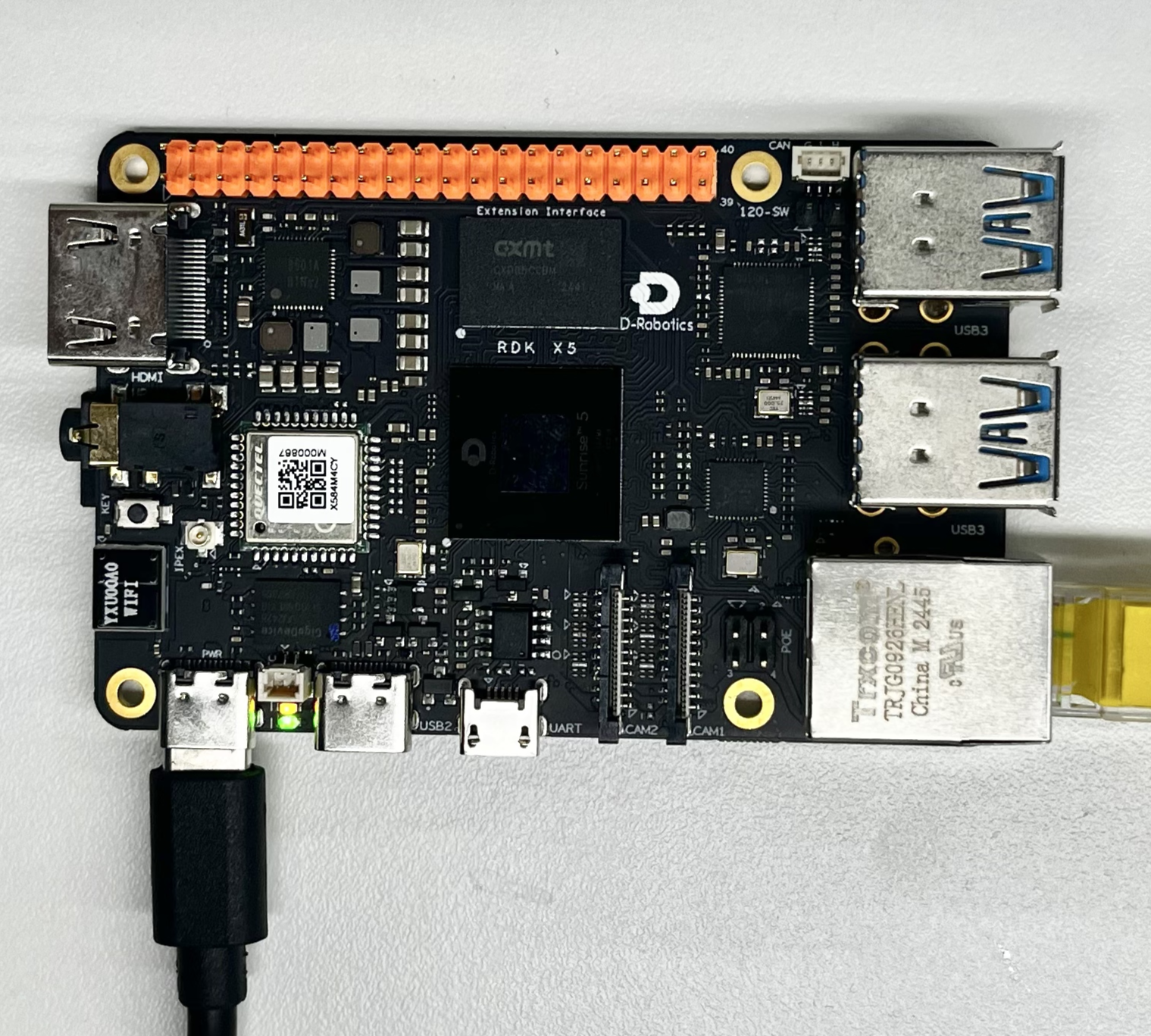
Quick start
Code location on device
root@ubuntu:/app/pydev_demo/08_decode_rtsp_stream# tree
.
├── 1080P_test.h264
├── decode_rtsp_stream.py
└── live555MediaServer
Build and run
For best HDMI output, stop the desktop (systemctl stop lightdm). The folder includes 1080P_test.h264. For H.265 you can copy from the board, e.g. /opt/tros/humble/lib/hobot_codec/config/1920x1080.h265.
Start the RTSP server, then run Python:
# Optional: stop desktop for clean HDMI
systemctl stop lightdm

# Start RTSP server
./live555MediaServer &

# Run decode sample (H.264)
python3 decode_rtsp_stream.py -u rtsp://127.0.0.1/1080P_test.h264 -d 1 -a 1
The program connects to the server, decodes the stream, runs detection, and shows on HDMI.
root@ubuntu:/app/pydev_demo/08_decode_rtsp_stream#./live555MediaServer &
        version 1.01 (LIVE555 Streaming Media library version 2020.07.09).
Play streams from this server using the URL
        rtsp://192.168.127.10/<filename>
where <filename> is a file present in the current directory.
Each file's type is inferred from its name suffix:
        ".264" => a H.264 Video Elementary Stream file
        ".265" => a H.265 Video Elementary Stream file
        ".aac" => an AAC Audio (ADTS format) file
        ".ac3" => an AC-3 Audio file
        ".amr" => an AMR Audio file
        ".dv" => a DV Video file
        ".m4e" => a MPEG-4 Video Elementary Stream file
        ".mkv" => a Matroska audio+video+(optional)subtitles file
        ".mp3" => a MPEG-1 or 2 Audio file
        ".mpg" => a MPEG-1 or 2 Program Stream (audio+video) file
        ".ogg" or ".ogv" or ".opus" => an Ogg audio and/or video file
        ".ts" => a MPEG Transport Stream file
                (a ".tsx" index file - if present - provides server 'trick play' support)
        ".vob" => a VOB (MPEG-2 video with AC-3 audio) file
        ".wav" => a WAV Audio file
        ".webm" => a WebM audio(Vorbis)+video(VP8) file
See http://www.live555.com/mediaServer/ for additional documentation.
(We use port 80 for optional RTSP-over-HTTP tunneling, or for HTTP live streaming (for indexed Transport Stream files only).)


root@ubuntu:/app/pydev_demo/08_decode_rtsp_stream# ./decode_rtsp_stream.py
['rtsp://127.0.0.1/1080P_test.h264']
Encoding detected via FourCC: h264, dec_type: 1
RTSP stream frame_width:1920, frame_height:1080
Decoder(0, 1) return:0 frame count: 0
Opened DRM device: /dev/dri/card0

.............
.............
.............
H.265 example:
systemctl stop lightdm

cp /opt/tros/humble/lib/hobot_codec/config/1920x1080.h265 /app/pydev_demo/08_decode_rtsp_stream/

python3 decode_rtsp_stream.py -u rtsp://127.0.0.1/1920x1080.h265 -d 1
root@ubuntu:/app/pydev_demo/08_decode_rtsp_stream# systemctl stop lightdm
root@ubuntu:/app/pydev_demo/08_decode_rtsp_stream# ./live555MediaServer &
[1] 4030
LIVE555 Media Server
        version 1.01 (LIVE555 Streaming Media library version 2020.07.09).
root@ubuntu:/app/pydev_demo/08_decode_rtsp_stream# Play streams from this server using the URL
        rtsp://10.0.0.32/<filename>
where <filename> is a file present in the current directory.
Each file's type is inferred from its name suffix:
        ".264" => a H.264 Video Elementary Stream file
        ".265" => a H.265 Video Elementary Stream file
        ".aac" => an AAC Audio (ADTS format) file
        ".ac3" => an AC-3 Audio file
        ".amr" => an AMR Audio file
        ".dv" => a DV Video file
        ".m4e" => a MPEG-4 Video Elementary Stream file
        ".mkv" => a Matroska audio+video+(optional)subtitles file
        ".mp3" => a MPEG-1 or 2 Audio file
        ".mpg" => a MPEG-1 or 2 Program Stream (audio+video) file
        ".ogg" or ".ogv" or ".opus" => an Ogg audio and/or video file
        ".ts" => a MPEG Transport Stream file
                (a ".tsx" index file - if present - provides server 'trick play' support)
        ".vob" => a VOB (MPEG-2 video with AC-3 audio) file
        ".wav" => a WAV Audio file
        ".webm" => a WebM audio(Vorbis)+video(VP8) file
See http://www.live555.com/mediaServer/ for additional documentation.
(We use port 80 for optional RTSP-over-HTTP tunneling, or for HTTP live streaming (for indexed Transport Stream files only).)

root@ubuntu:/app/pydev_demo/08_decode_rtsp_stream#
root@ubuntu:/app/pydev_demo/08_decode_rtsp_stream#
root@ubuntu:/app/pydev_demo/08_decode_rtsp_stream# python3 decode_rtsp_stream.py -u rtsp://127.0.0.1/1920x1080.h265 -d 1
['rtsp://127.0.0.1/1920x1080.h265']
Encoding detected via FourCC: hevc, dec_type: 2
RTSP stream frame_width:1920, frame_height:1080
Decoder(0, 2) return:0 frame count: 0
Opened DRM device: /dev/dri/card0
1920x1080
1280x800
1280x720
720x576
720x480
640x480
Resolution 1920x1080 exists in the list.
Opened DRM device: /dev/dri/card0
DRM is available, using libdrm for rendering.
------------------------------------------------------
Plane 0:
  Plane ID: 41
  Src W: 1920
  Src H: 1080
......
......
......
Details
Command-line options
# Basic usage
python3 decode_rtsp_stream.py [-u <rtsp_url>] [-d] [-a]

# Multiple streams
python3 decode_rtsp_stream.py [-u <rtsp_url1;rtsp_url2>] [-d] [-a]
-u, --rtsp_url— RTSP URL(s); use;to separate multiple streams-d— display (0off,1on)-a— enable BPU inference (forces display on)
Software architecture
Uses an RTSP server and multiple threads:
- DecodeRtspStream — connect, detect codec (H.264/H.265/MJPEG), hardware decode, frame queue
- VideoDisplay — HDMI init, VPS processing, display queue
- AiInference — load FCOS, infer, post-process, draw

API flow

FAQ
Q: fail to open rtsp.
A: Ensure the RTSP server is running and the network is OK (netstat -tlnp).
Q: How to see codec?
A: Console prints e.g. Encoding detected via FourCC: h264, dec_type: 1.
Q: High latency?
A: Lower resolution/FPS or use a lighter detector.
Q: Multiple streams?
A: -u rtsp://url1;rtsp://url2 — each stream uses its own decode path.
Q: Change model?
A: e.g. models = dnn.load('../models/your_model.bin').
Q: No HDMI?
A: Check cable and stop display manager (systemctl stop lightdm); match monitor resolution to output.
Q: Save video?
A: Add recording (e.g. OpenCV VideoWriter).
Q: Detection threshold?
A: Adjust fcos_postprocess_info.score_threshold.
Q: RTSP transport?
A: TCP or UDP depends on server configuration.