Basic Image Classification
Introduction
The basic image classification samples are Python API examples under /app/pydev_demo/01_basic_sample/, demonstrating how to use the hobot_dnn module for image classification. They implement the same classification task with different neural network models.
Included model examples:
- test_resnet18.py — ResNet18 image classification
- test_efficientnasnet_m.py — EfficientNasNet image classification
- test_googlenet.py — GoogleNet image classification
- test_mobilenetv1.py — MobileNetV1 image classification
- test_vargconvnet.py — VargConvNet image classification
Demo
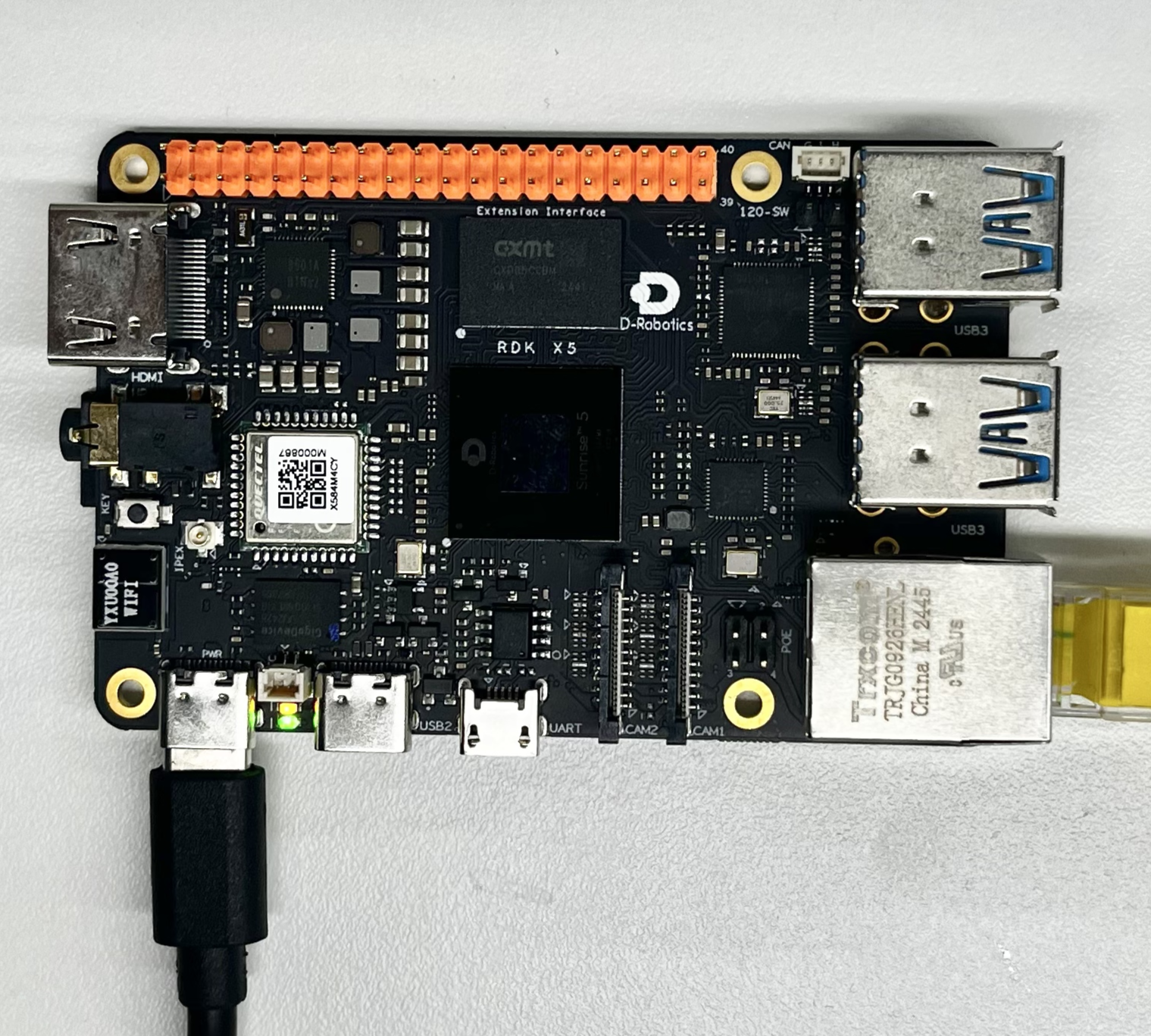
Hardware setup
Connections
This sample only needs the RDK board; no extra peripherals. Power the board and boot the system.
Quick start
Code location on device
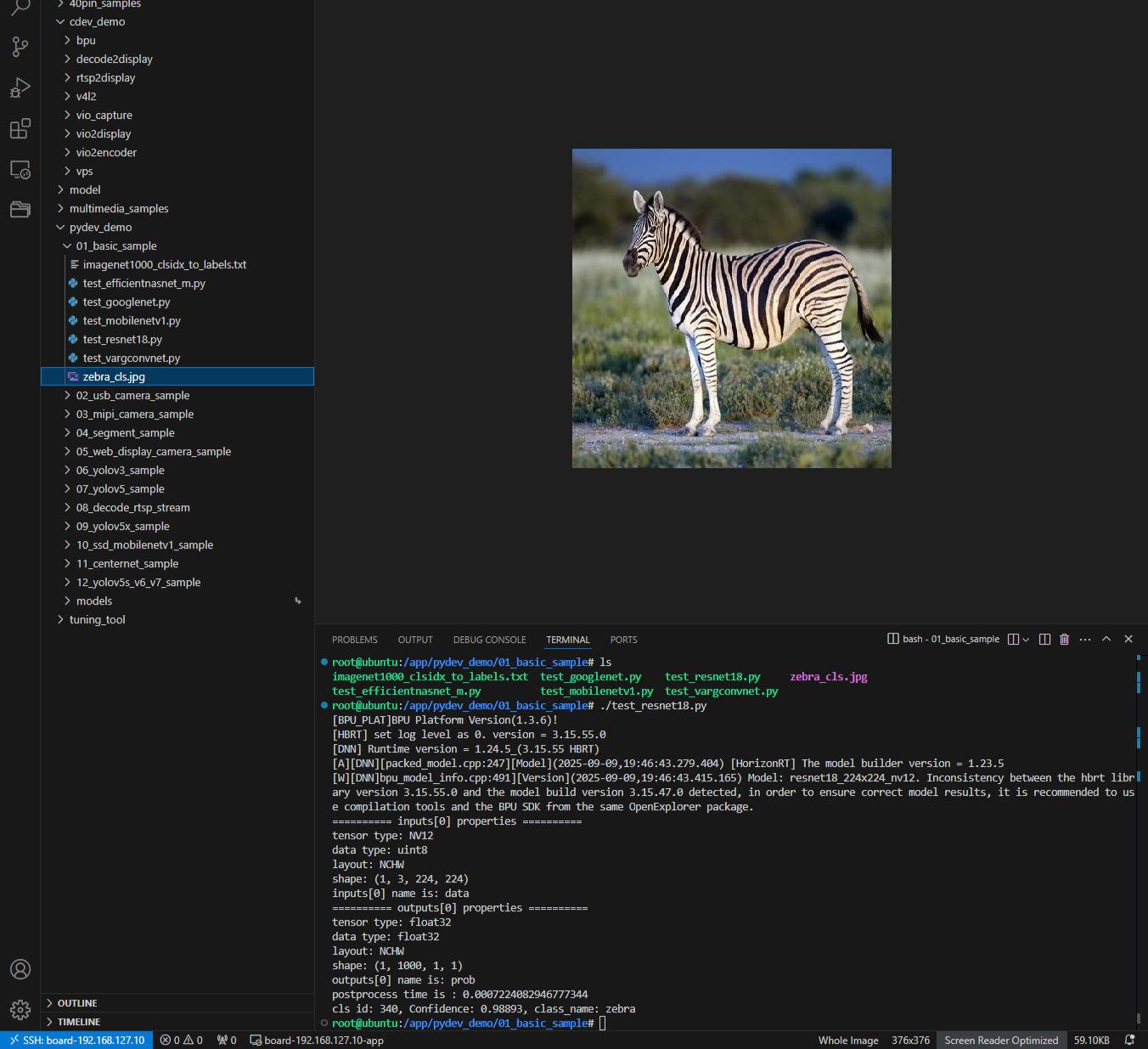
Under /app/pydev_demo/01_basic_sample/ you will find multiple model test scripts:
root@ubuntu:/app/pydev_demo/01_basic_sample# tree
.
├── imagenet1000_clsidx_to_labels.txt
├── test_efficientnasnet_m.py
├── test_googlenet.py
├── test_mobilenetv1.py
├── test_resnet18.py
├── test_vargconvnet.py
└── zebra_cls.jpg
Build and run
Python samples do not require compilation; run them directly.
Sample log
root@ubuntu:/app/pydev_demo/01_basic_sample# ./test_resnet18.py
[BPU_PLAT]BPU Platform Version(1.3.6)!
[HBRT] set log level as 0. version = 3.15.55.0
[DNN] Runtime version = 1.24.5_(3.15.55 HBRT)
[A][DNN][packed_model.cpp:247][Model](2025-09-09,19:46:43.279.404) [HorizonRT] The model builder version = 1.23.5
[W][DNN]bpu_model_info.cpp:491][Version](2025-09-09,19:46:43.415.165) Model: resnet18_224x224_nv12. Inconsistency between the hbrt library version 3.15.55.0 and the model build version 3.15.47.0 detected, in order to ensure correct model results, it is recommended to use compilation tools and the BPU SDK from the same OpenExplorer package.
========== inputs[0] properties ==========
tensor type: NV12
data type: uint8
layout: NCHW
shape: (1, 3, 224, 224)
inputs[0] name is: data
========== outputs[0] properties ==========
tensor type: float32
data type: float32
layout: NCHW
shape: (1, 1000, 1, 1)
outputs[0] name is: prob
postprocess time is : 0.0007224082946777344
cls id: 340, Confidence: 0.98893, class_name: zebra
root@ubuntu:/app/pydev_demo/01_basic_sample#
Details
Command-line options
The basic classification samples need no arguments; run the script directly. They load zebra_cls.jpg from the same directory for inference.
Software architecture
Different Python scripts showcase different models, but the architecture is largely the same:
- Model load — load the compiled model with
hobot_dnn.pyeasy_dnn - Image preprocessing — convert the input image to NV12 at the required size
- Inference — run the model forward pass
- Post-processing — parse outputs with the libpostprocess library
- Output — print class ID, confidence, and label

API flow

FAQ
Q: I get ModuleNotFoundError: No module named 'hobot_dnn'.
A: Ensure the RDK Python environment is installed correctly, including official inference packages such as hobot_dnn.
Q: How do I change the test image?
A: Place a new image in the sample directory and set img_file = cv2.imread('your_image_path') in code.
Q: How do the model files differ?
A: They differ in accuracy, speed, and size. ResNet18 is more accurate but slower; MobileNetV1 is faster with slightly lower accuracy—choose based on your needs.
Q: Where can I get more pretrained models?
A: See the model_zoo repository or the toolchain base model repository.