Configure Uboot and Kernel Option Parameters
In system software development, it is often necessary to configure feature options for Uboot and the kernel. This chapter introduces several commonly used configuration methods for user reference.
Configure Uboot Option Parameters
The following instructions use modifying the hobot_s100_defconfig configuration file as an example.
The specific Uboot configuration file in use can be found by checking the value of the HR_UBOOT_CONFIG_FILE variable in the board-level configuration file bootloader/device/.board_config.mk after running ./xbuild.sh lunch.
Configure via the xbuild Command
First, navigate to the source/bootloader directory. The directory structure is as follows:
├── build # Build system code directory, providing shell scripts for compiling various functional modules and required tools
├── device # Board-level configuration directory; each hardware platform has its own configuration file for setting compilation options, partition tables, etc.
├── miniboot  # Generates an integrated minimal boot firmware containing GPT, MBR, BL2, DDR, and BL3x
├── out # Build output directory
└── uboot # U-Boot source code
The main build script is build/xbuild.sh, which provides the following command to assist users in configuring Uboot options. This command automatically uses the Uboot configuration file specified in the board-level configuration file and, upon completion, automatically performs savedefconfig and saves the changes:
./xbuild.sh uboot menuconfig
Upon successful execution, a graphical Uboot configuration interface will open. In this interactive interface, you can configure options, such as disabling unnecessary features and enabling required ones.
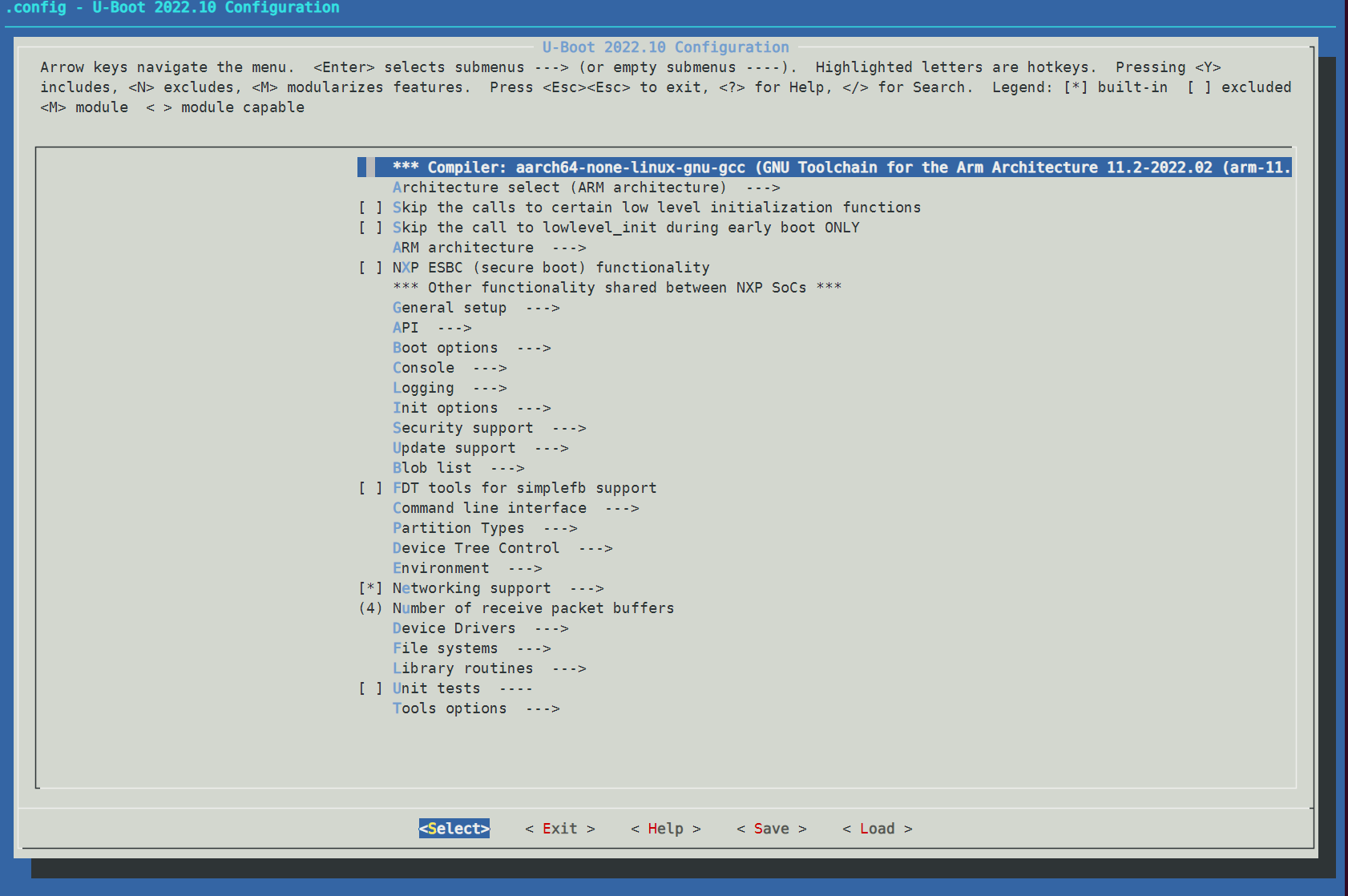
After completing your configuration in the menuconfig interface, select Exit to quit. Follow the prompt to choose Yes or No to save your modifications to the .config file.

After exiting the configuration, the system will automatically save the configuration file. The automated steps include:
# Call savedefconfig to clean up the configuration file: retain essential items and remove dependent items, generating a defconfig file
make savedefconfig
# Overwrite the U-Boot configuration file specified in the board-level configuration with the generated defconfig file
cp -f defconfig <U-Boot configuration file specified in the board-level configuration>
Manual Configuration
First, navigate to the source/bootloader/uboot directory and run make ARCH=arm64 hobot_s100_defconfig. The make command first executes the top-level Makefile. Targets ending with "config" share a common entry point:
%config: scripts_basic outputmakefile FORCE
        $(Q)$(MAKE) $(build)=scripts/kconfig $@
The expanded command becomes:
make -f ./scripts/Makefile.build obj=scripts/kconfig hobot_s100_defconfig
After executing this command, a .config file will be generated in the root directory of the Uboot source code.
make ARCH=arm64 hobot_s100_defconfig

  HOSTCC  scripts/basic/fixdep
  HOSTCC  scripts/kconfig/conf.o
  YACC    scripts/kconfig/zconf.tab.c
  LEX     scripts/kconfig/zconf.lex.c
  HOSTCC  scripts/kconfig/zconf.tab.o
  HOSTLD  scripts/kconfig/conf
#
# configuration written to .config
#
You can then run make ARCH=arm64 menuconfig to open the graphical configuration interface for configuring Uboot options.
After completing your configuration in the menuconfig interface, select Exit to quit. Follow the prompt to choose Yes or No to save your modifications to the .config file.
After saving the configuration, you can run diff .config configs/hobot_s100_defconfig to compare differences and verify that your changes meet expectations.
If the modifications are correct, run cp .config configs/hobot_s100_defconfig to replace the default configuration file.
Clean up files such as .config in the source directory; otherwise, during a full system rebuild, you may see a warning like xxx is not clean, please run 'make mrproper'.
make distclean
# or
make mrproper
Configure Kernel Option Parameters
The following instructions use modifying the drobot_s100_defconfig configuration file as an example.
The specific kernel configuration file in use can be found by checking the value of the kernel_config_file variable in the mk_kernel.sh script.
Configure via the mk_kernel Command
The mk_kernel.sh script provides the following command to assist users in configuring kernel options. This command automatically uses the kernel configuration file specified in the board-level configuration and, upon completion, automatically performs savedefconfig and saves the changes:
./mk_kernel.sh menuconfig
Upon successful execution, a graphical kernel configuration interface will open. In this interactive interface, you can configure options, such as disabling unnecessary features and enabling required ones.
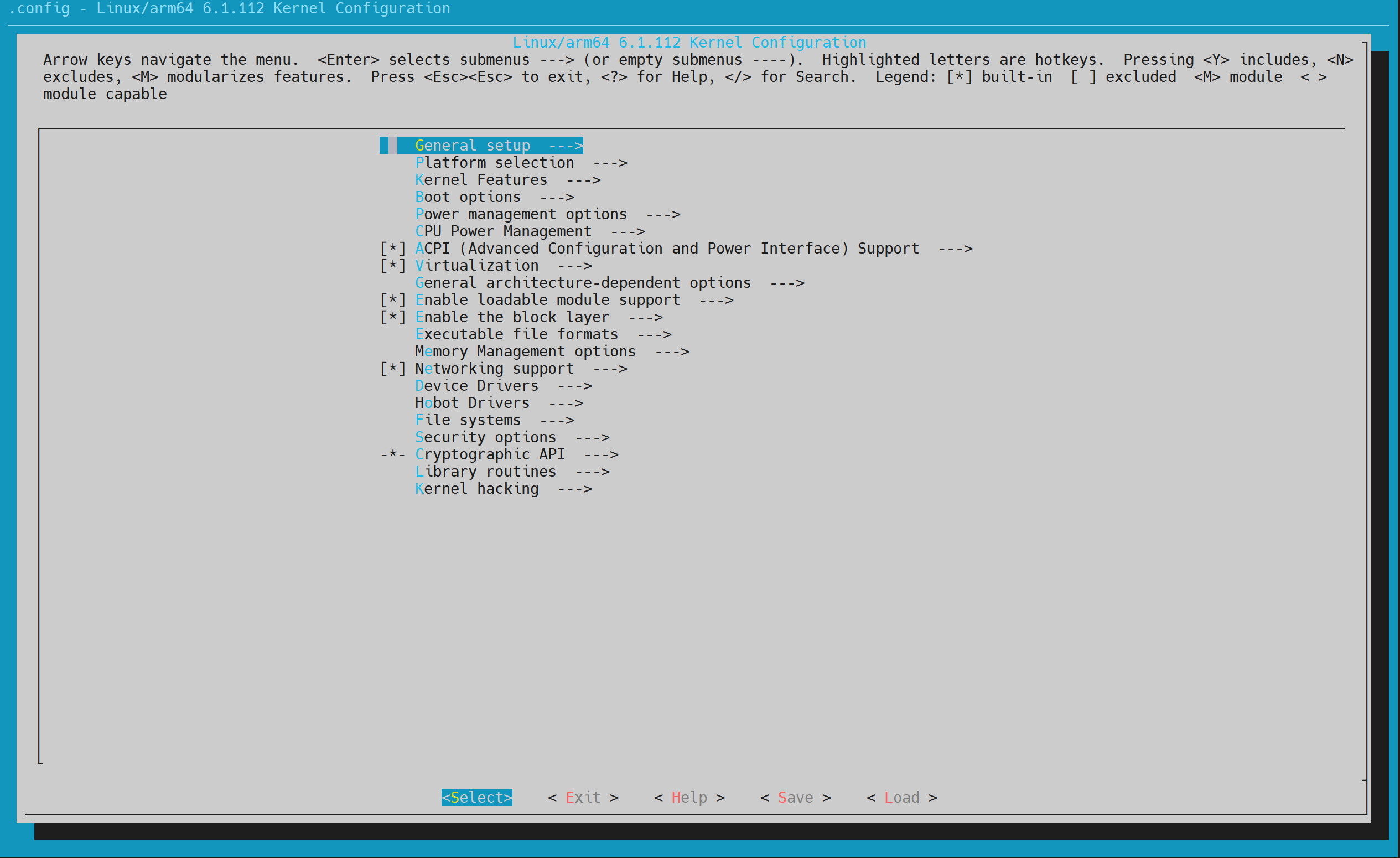
After completing your configuration in the menuconfig interface, select Exit to quit. Follow the prompt to choose Yes or No to save your modifications to the .config file.
After exiting the configuration, the system will automatically save the configuration file. The automated steps include:
# Call savedefconfig to clean up the configuration file: retain essential items and remove dependent items, generating a defconfig file
make savedefconfig
# Overwrite the kernel configuration file specified in the board-level configuration with the generated defconfig file
cp defconfig <kernel configuration file specified in the board-level configuration>
Manual Configuration
Configuring the kernel via menuconfig follows the same process as configuring Uboot. The command execution steps are as follows:
First, navigate to the source/kernel directory, then configure kernel options using the steps below:
- Use
drobot_s100_defconfigto generate.config. If a full build has already been performed, the.configfile will already be set up.
make ARCH=arm64 drobot_s100_defconfig
- Run the following command to modify the configuration:
make ARCH=arm64 menuconfig
- After modification, you can check the differences between the new and original configurations:
diff .config hobot-drivers/configs/drobot_s100_defconfig
- Overwrite
drobot_s100_defconfigwith the new configuration:
cp .config hobot-drivers/configs/drobot_s100_defconfig
- Clean up files such as
.configin the source directory; otherwise, during a full system rebuild, you may see a warning like "xxx is not clean, please run 'make mrproper'".
make distclean
# or
make mrproper