Road Surface Structuring
Feature Introduction
The parking_perception package is an example implementation of a road surface structuring algorithm developed based on the hobot_dnn package. It leverages the BPU for model inference to obtain algorithmic results.
This package supports directly subscribing to topics of type sensors/msg/image, as well as performing inference using locally stored images. While publishing algorithmic results via ROS topics, it simultaneously renders visualizations on a web page and optionally saves the rendered images to the result directory under the program's working path.
Supported object detection classes by the algorithm are as follows:
| Class | Description |
|---|---|
| cyclist | Cyclist |
| person | Pedestrian |
| rear | Rear of vehicle |
| vehicle | Car |
| parking_lock | Parking lock |
Supported semantic segmentation classes by the algorithm are as follows:
| Class | Description |
|---|---|
| road | Road |
| background | Background |
| lane_marking | Lane markings |
| sign_line | Sign lines |
| parking_lane | Parking space lines |
| parking_space | Parking area |
| parking_rod | Parking rod |
| parking_lock | Parking lock |
Code repository: (https://github.com/D-Robotics/parking_perception.git)
Application scenario: The outdoor parking area detection algorithm is based on semantic segmentation to identify parking regions in images, enabling automatic parking functionality, primarily applied in the field of autonomous driving.
Example use case – Vehicle parking space search: 5.4.8 Vehicle Parking Space Search
Supported Platforms
| Platform | OS/Runtime Environment | Example Features |
|---|---|---|
| RDK X3, RDK X3 Module | Ubuntu 20.04 (Foxy), Ubuntu 22.04 (Humble) | · Launch MIPI/USB camera or local image playback; inference results rendered on web UI and/or saved locally |
| X86 | Ubuntu 20.04 (Foxy) | · Launch local image playback; inference results rendered on web UI and/or saved locally |
Algorithm Details
| Model | Platform | Input Size | Inference FPS |
|---|---|---|---|
| parking_perception | X3 | 1x3x640x320 | 103.52 |
Prerequisites
RDK Platform
- The RDK device has been flashed with either Ubuntu 20.04 or Ubuntu 22.04 system image.
- TogetherROS.Bot has been successfully installed on the RDK.
X86 Platform
- The X86 environment has been set up with Ubuntu 20.04 system image.
- tros.b has been successfully installed in the X86 environment.
Usage Guide
The package publishes custom messages containing both semantic segmentation and object detection results. Users can subscribe to these messages for application development.
RDK Platform
Publish images from MIPI camera
- Foxy
- Humble
# Set up ROS2 environment
source /opt/tros/setup.bash

# Copy required configuration files for running the example from tros.b installation path.
cp -r /opt/tros/${TROS_DISTRO}/lib/parking_perception/config/ .

# Configure MIPI camera
export CAM_TYPE=mipi

# Launch the launch file
ros2 launch parking_perception parking_perception.launch.py
# Set up ROS2 environment
source /opt/tros/humble/setup.bash

# Copy required configuration files for running the example from tros.b installation path.
cp -r /opt/tros/${TROS_DISTRO}/lib/parking_perception/config/ .

# Configure MIPI camera
export CAM_TYPE=mipi

# Launch the launch file
ros2 launch parking_perception parking_perception.launch.py
Publish images from USB camera
- Foxy
- Humble
# Set up ROS2 environment
source /opt/tros/setup.bash

# Copy required configuration files for running the example from tros installation path.
cp -r /opt/tros/${TROS_DISTRO}/lib/parking_perception/config/ .

# Configure USB camera
export CAM_TYPE=usb

# Launch the launch file
ros2 launch parking_perception parking_perception.launch.py
# Set up ROS2 environment
source /opt/tros/humble/setup.bash

# Copy required configuration files for running the example from tros installation path.
cp -r /opt/tros/${TROS_DISTRO}/lib/parking_perception/config/ .

# Configure USB camera
export CAM_TYPE=usb

# Launch the launch file
ros2 launch parking_perception parking_perception.launch.py
Use a single local image for inference (frame-by-frame playback)
- Foxy
- Humble
# Set up ROS2 environment
source /opt/tros/setup.bash

# Copy required configuration files for running the example from tros installation path.
cp -r /opt/tros/${TROS_DISTRO}/lib/parking_perception/config/ .

# Configure frame-by-frame (local image) mode
export CAM_TYPE=fb

# Launch the launch file
ros2 launch parking_perception parking_perception.launch.py
# Set up ROS2 environment
source /opt/tros/humble/setup.bash

# Copy required configuration files for running the example from tros installation path.
cp -r /opt/tros/${TROS_DISTRO}/lib/parking_perception/config/ .

# Configure frame-by-frame (local image) mode
export CAM_TYPE=fb

# Launch the launch file
ros2 launch parking_perception parking_perception.launch.py
X86 Platform
Using a single replay image
# Configure the tros.b environment
source /opt/tros/setup.bash

# Copy the required configuration files for running the example from the tros installation path.
cp -r /opt/tros/${TROS_DISTRO}/lib/parking_perception/config/ .

# Configure the replay image
export CAM_TYPE=fb

# Launch the launch file
ros2 launch parking_perception parking_perception.launch.py
Result Analysis
Publishing images using an MIPI camera
After package initialization, the following information is output in the running terminal:
[INFO] [launch]: All log files can be found below /root/.ros/log/2022-08-02-06-46-55-605266-ubuntu-3669
[INFO] [launch]: Default logging verbosity is set to INFO
[INFO] [mipi_cam-1]: process started with pid [3671]
[INFO] [hobot_codec_republish-2]: process started with pid [3673]
[INFO] [parking_perception-3]: process started with pid [3675]
[INFO] [websocket-4]: process started with pid [3677]
[parking_perception-3] [WARN] [1659394017.194211788] [parking_perception]: Parameter:
[parking_perception-3] shared_men:1
[parking_perception-3]  is_sync_mode_: 1
[parking_perception-3]  model_file_name_: config/parking_perception_640x320.bin
[parking_perception-3] feed_image:
[parking_perception-3] [INFO] [1659394017.194695288] [dnn]: Node init.
[parking_perception-3] [INFO] [1659394017.194784038] [parking_perception]: Set node para.
[parking_perception-3] [INFO] [1659394017.194845413] [dnn]: Model init.
[parking_perception-3] [BPU_PLAT]BPU Platform Version(1.3.1)!
[parking_perception-3] [C][3675][08-02][06:46:57:202][configuration.cpp:49][EasyDNN]EasyDNN version: 0.4.11
[parking_perception-3] [HBRT] set log level as 0. version = 3.14.5
[parking_perception-3] [DNN] Runtime version = 1.9.7_(3.14.5 HBRT)
[parking_perception-3] [INFO] [1659394017.247423580] [dnn]: The model input 0 width is 640 and height is 320
[parking_perception-3] [INFO] [1659394017.247664997] [dnn]: Task init.
[parking_perception-3] [INFO] [1659394017.255848788] [dnn]: Set task_num [2]
[parking_perception-3] [INFO] [1659394017.255999663] [parking_perception]: The model input width is 640 and height is 320
[parking_perception-3] [INFO] [1659394017.263431163] [parking_perception]: msg_pub_topic_name: ai_msg_parking_perception
[parking_perception-3] [INFO] [1659394017.263554788] [parking_perception]: Detect images that use subscriptions
[parking_perception-3] [WARN] [1659394017.263597997] [parking_perception]: Create hbmem_subscription with topic_name: /hbmem_img
[parking_perception-3] [WARN] [1659394017.267204163] [parking_perception]: start success!!!
[parking_perception-3] [WARN] [1662036456.219133588] [parking_perception]: input fps: 29.73, out fps: 29.79
[parking_perception-3] [WARN] [1662036457.228303881] [parking_perception]: input fps: 29.73, out fps: 29.73
[parking_perception-3] [WARN] [1662036458.237841548] [parking_perception]: input fps: 29.73, out fps: 29.73
Using a single replay image
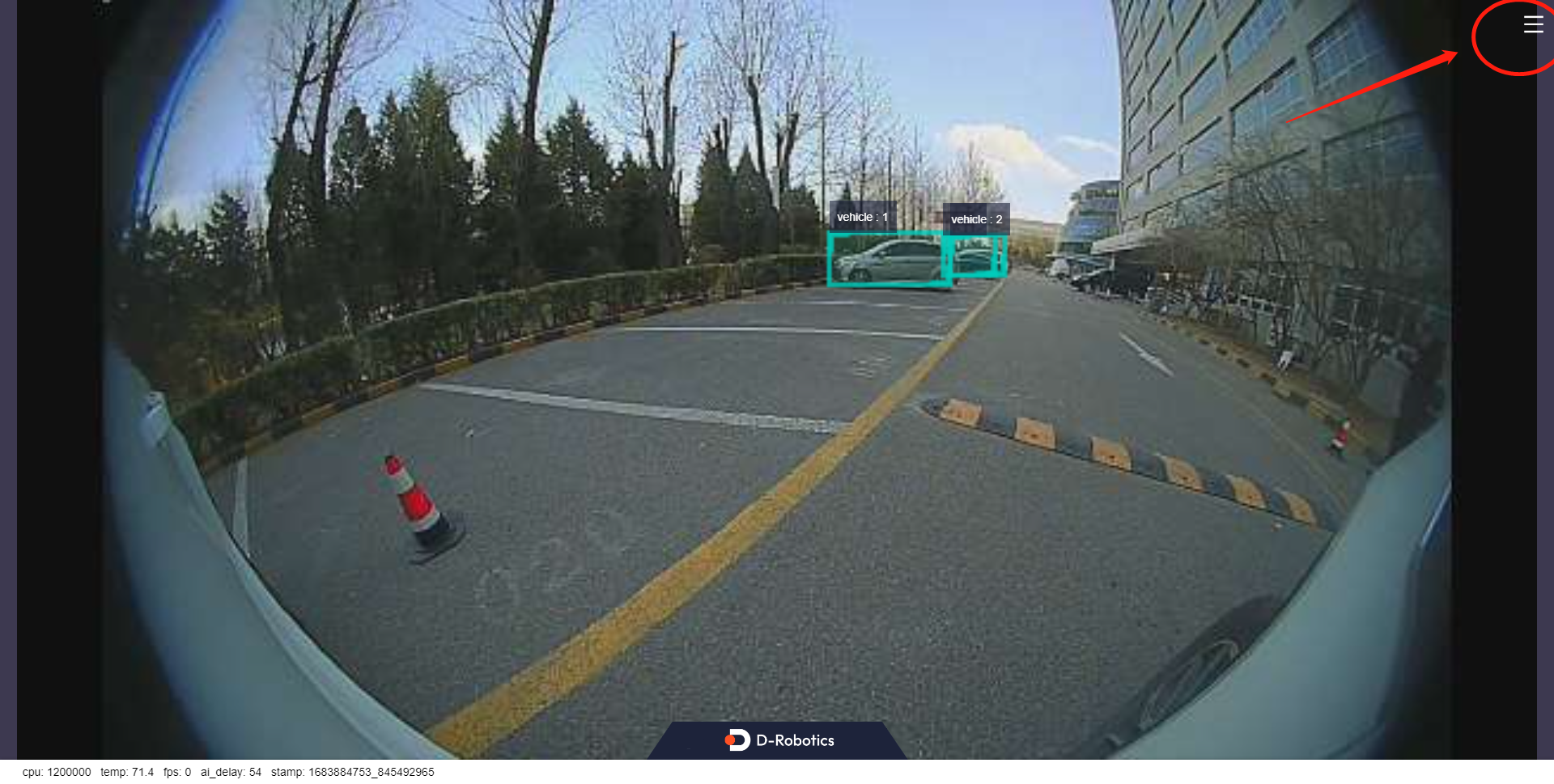
In this example, the inference result from reading a local image will be rendered onto the image itself. To view the rendered image and algorithm visualization, open a browser on your PC and navigate to http://IP:8000 (replace "IP" with the RDK's IP address), then click the settings icon in the upper-right corner of the interface.
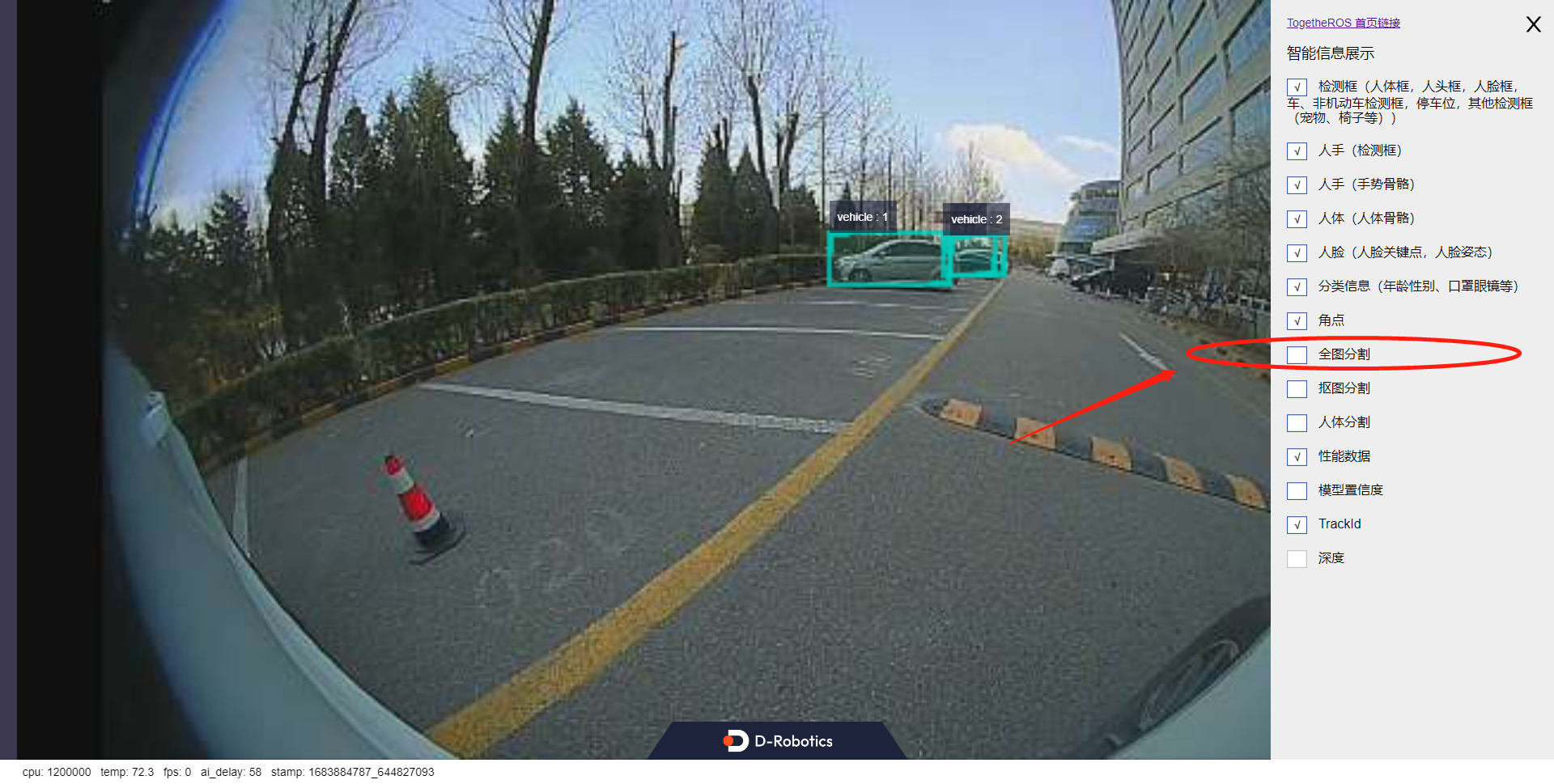
Select the "Full Image Segmentation" option to display the rendering effect.
From the visualization results, we can observe that in outdoor scenarios, parking areas and driving lanes are effectively segmented, distinguishing between parking lane markings and driving lane markings. Additionally, the object detection task successfully locates distant vehicles.
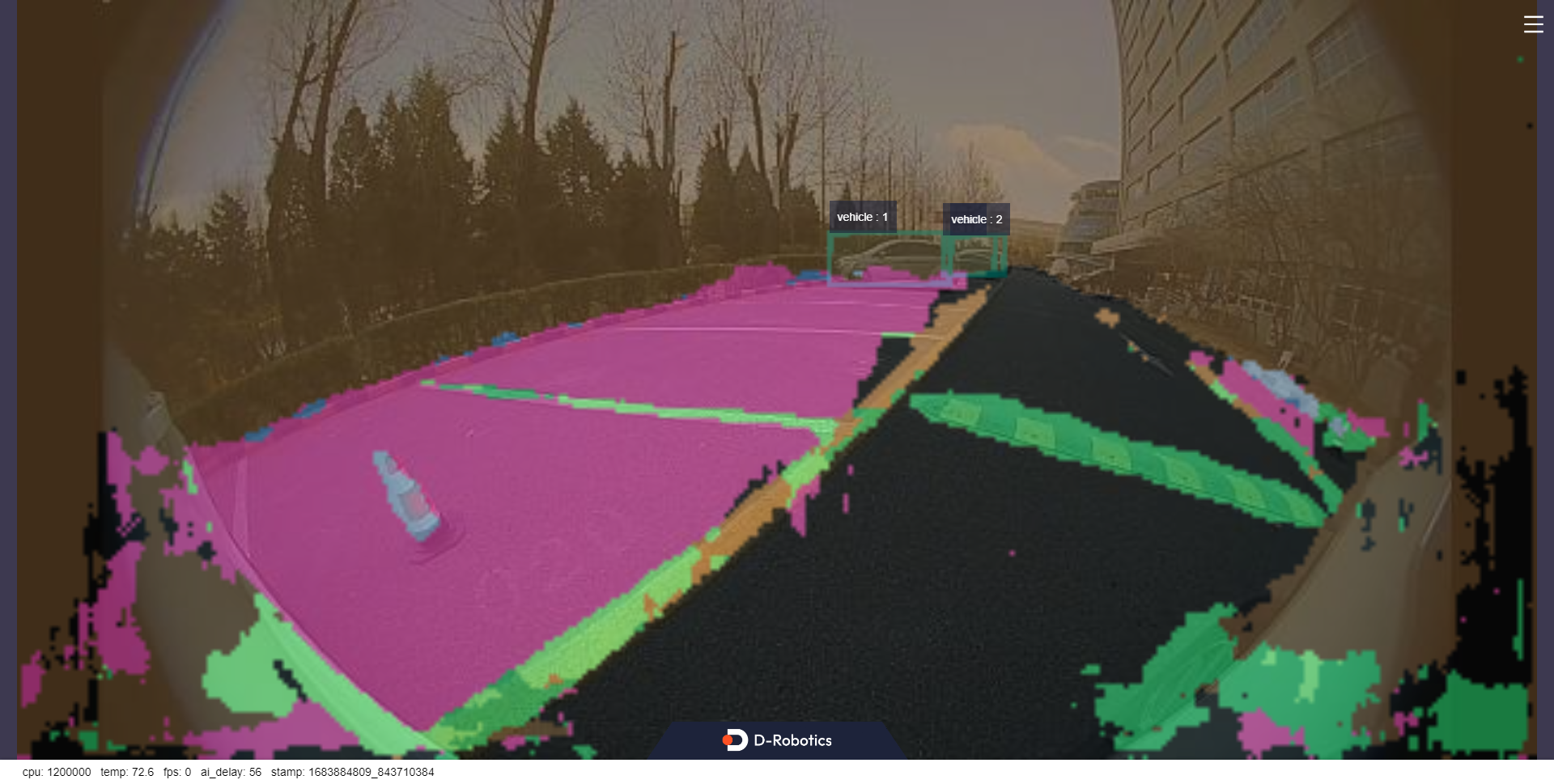
When "dump_render_img" is set to "1", the rendered results are saved under the result directory in the current path.