Ultralytics YOLOv8-Seg
Feature Introduction
The Ultralytics YOLOv8-Seg instance segmentation algorithm example takes images as input, performs inference using the BPU, and publishes messages containing both detection and segmentation results.
YOLOv8-Seg is an ONNX model trained on the COCO128-seg dataset. Model source: https://github.com/D-Robotics/hobot_model.
It supports instance segmentation for a total of 80 categories, including people, animals, fruits, vehicles, etc.
Code repository: https://github.com/D-Robotics/hobot_dnn
Application scenarios: YOLOv8-Seg can identify individual objects in images and precisely segment them. This technology can be applied in fields such as autonomous driving, remote sensing image analysis, and medical image analysis.
Supported Platforms
| Platform | Runtime Environment | Example Features |
|---|---|---|
| RDK X5, RDK X5 Module | Ubuntu 22.04 (Humble) | · Launch MIPI/USB camera or local image playback; rendered results saved locally |
| RDK S100, RDK S100P | Ubuntu 22.04 (Humble) | · Launch MIPI/USB camera or local image playback; rendered results saved locally |
Algorithm Details
| Model | Platform | Input Size | Inference FPS |
|---|---|---|---|
| yolov8n_seg | X5 | 1x3x640x640 | 126.64 |
| yolov8n_seg | S100 | 1x3x640x640 | 443.39 |
Prerequisites
RDK Platform
-
The RDK has been flashed with the Ubuntu 22.04 system image.
-
TogetherROS.Bot has been successfully installed on the RDK.
-
An MIPI or USB camera is installed on the RDK. If no camera is available, you can evaluate the algorithm by replaying local JPEG/PNG images.
Usage Guide
RDK Platform
Publishing Images from Camera
Using MIPI Camera
The YOLOv8-Seg instance segmentation example subscribes to images published by the sensor package, performs inference, and then publishes algorithm messages. By default, rendered images are not saved. To enable saving, set dnn_example_dump_render_img to 1 at runtime. Rendered images will then be automatically saved in the current working directory with filenames formatted as render_frameid_timestamp_seconds_timestamp_nanoseconds.jpg.
- Humble
# Configure TogetherROS.Bot environment
source /opt/tros/humble/setup.bash
# Configure MIPI camera
export CAM_TYPE=mipi

# Launch the launch file
ros2 launch dnn_node_example dnn_node_example.launch.py dnn_example_dump_render_img:=0 dnn_example_config_file:=config/yolov8segworkconfig.json dnn_example_image_width:=1920 dnn_example_image_height:=1080
Using USB Camera
- Humble
# Configure TogetherROS.Bot environment
source /opt/tros/humble/setup.bash
# Configure USB camera
export CAM_TYPE=usb

# Launch the launch file
ros2 launch dnn_node_example dnn_node_example.launch.py dnn_example_dump_render_img:=0 dnn_example_config_file:=config/yolov8segworkconfig.json dnn_example_image_width:=1920 dnn_example_image_height:=1080
Local Image Playback
The YOLOv8-Seg segmentation example uses local JPEG/PNG images for playback. After inference, the rendered results are saved to the current working directory.
- Humble
# Configure TogetherROS.Bot environment
source /opt/tros/humble/setup.bash
# Launch the launch file
ros2 launch dnn_node_example dnn_node_example_feedback.launch.py dnn_example_config_file:=config/yolov8segworkconfig.json dnn_example_image:=config/test.jpg
Result Analysis
Using Camera to Publish Images
The terminal output during execution is as follows:
[example-3] [WARN] [0000001244.489045384] [example]: Sub img fps: -1.00, Smart fps: 6.00, infer time ms: 12, post process time ms: 31
[example-3] [WARN] [0000001245.524813052] [example]: Sub img fps: 5.84, Smart fps: 4.99, infer time ms: 8, post process time ms: 64
[example-3] [WARN] [0000001246.526635344] [example]: Sub img fps: 4.96, Smart fps: 5.00, infer time ms: 8, post process time ms: 66
[example-3] [WARN] [0000001247.528846136] [example]: Sub img fps: 5.00, Smart fps: 5.00, infer time ms: 8, post process time ms: 68
[example-3] [WARN] [0000001248.528474095] [example]: Sub img fps: 5.00, Smart fps: 5.00, infer time ms: 8, post process time ms: 68
[example-3] [WARN] [0000001249.528576345] [example]: Sub img fps: 5.00, Smart fps: 5.00, infer time ms: 8, post process time ms: 68
[example-3] [WARN] [0000001250.493265846] [example]: Sub img fps: 5.02, Smart fps: 5.00, infer time ms: 8, post process time ms: 32
[example-3] [WARN] [0000001251.528909346] [example]: Sub img fps: 4.98, Smart fps: 5.00, infer time ms: 8, post process time ms: 67
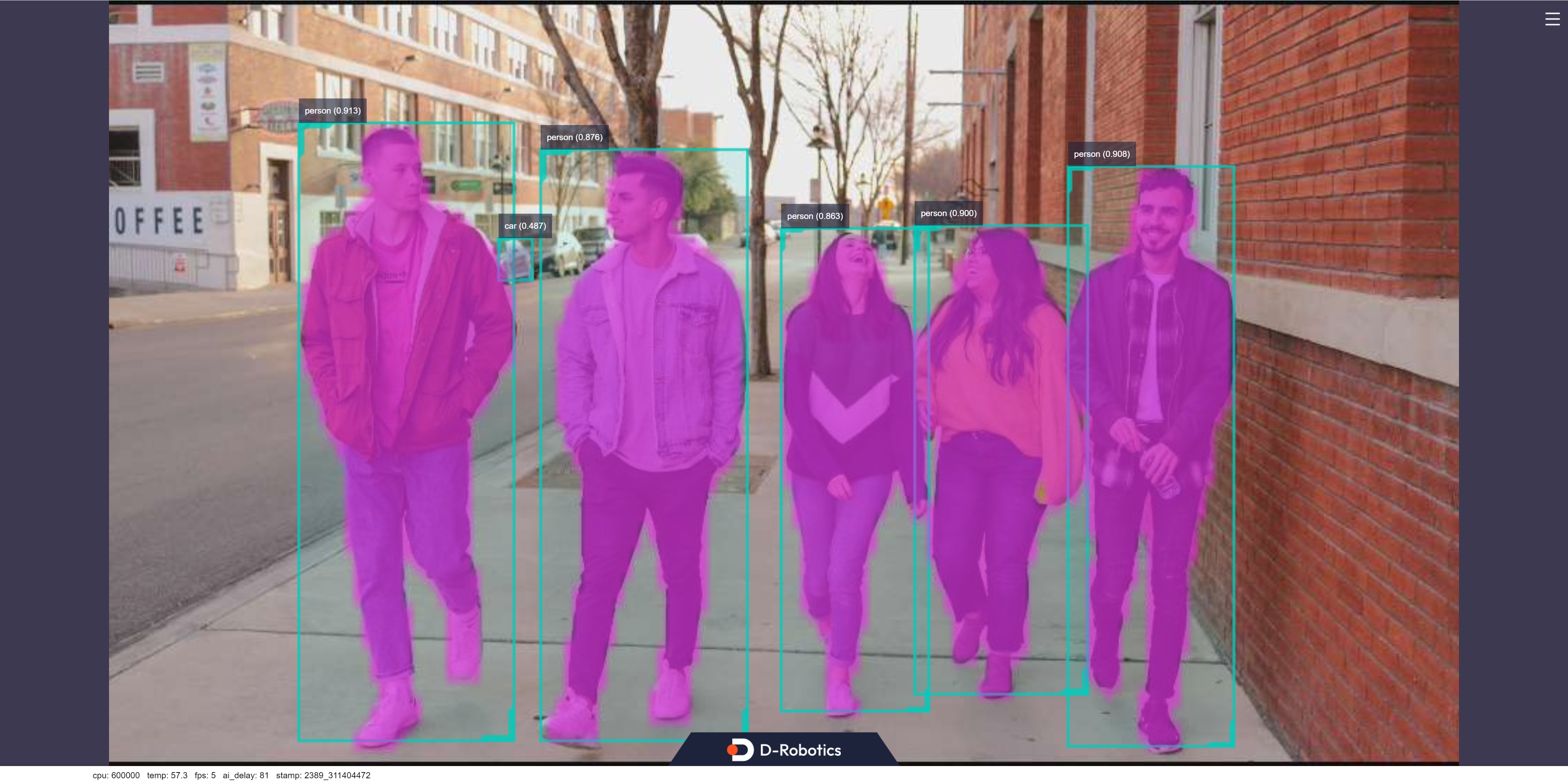
The log shows that the topic publishing algorithm inference results is hobot_dnn_detection, and the subscribed image topic is /hbmem_img. The image publishing frame rate adapts automatically based on the algorithm’s inference output frame rate. Additionally, instance segmentation results are rendered and saved locally on the RDK, which reduces the overall frame rate.
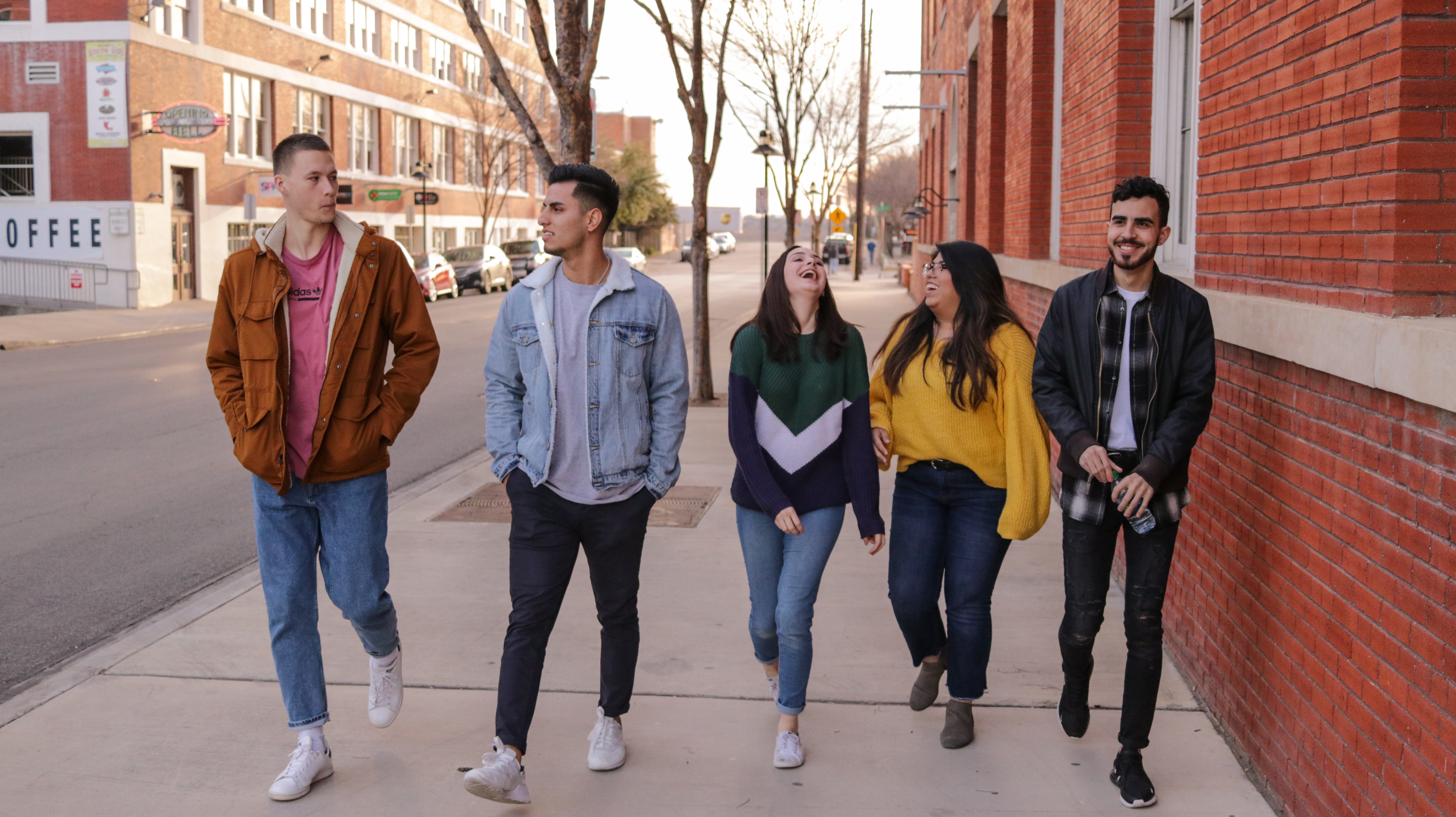
Original image:
Rendered image:
Using Local Image Playback
The terminal output during execution is as follows:
[INFO] [0000001744.811779665] [example]: Dnn node feed with local image: /userdata/config/test.jpg
[INFO] [0000001746.237111249] [example]: Output from frame_id: feedback, stamp: 0.0
[INFO] [0000001746.266157040] [PostProcessBase]: out box size: 6
[INFO] [0000001746.266340040] [PostProcessBase]: det rect: 90.4946 58.2675 192.103 351.403, det type: person, score:0.927177
[INFO] [0000001746.267129832] [PostProcessBase]: det rect: 455.518 77.1254 536.289 354.541, det type: person, score:0.909735
[INFO] [0000001746.267248457] [PostProcessBase]: det rect: 381.604 103.953 464.446 327.9, det type: person, score:0.898899
[INFO] [0000001746.267331624] [PostProcessBase]: det rect: 204.864 71.6262 303.593 351.835, det type: person, score:0.887814
[INFO] [0000001746.267404540] [PostProcessBase]: det rect: 317.885 108.287 389.773 338.197, det type: person, score:0.866887
[INFO] [0000001746.267486457] [PostProcessBase]: det rect: 181.487 111.093 202.097 132.665, det type: car, score:0.443035
[INFO] [0000001746.267548999] [ClassificationPostProcess]: out cls size: 0
[INFO] [0000001746.267662832] [SegmentationPostProcess]: features size: 14240, width: 160, height: 89, num_classes: 80, step: 1
[INFO] [0000001746.270546040] [ImageUtils]: target size: 7
[INFO] [0000001746.270674082] [ImageUtils]: target type: person, rois.size: 1
[INFO] [0000001746.270745915] [ImageUtils]: roi.type: person, x_offset: 90 y_offset: 58 width: 101 height: 293
[INFO] [0000001746.271122207] [ImageUtils]: target type: person, rois.size: 1
[INFO] [0000001746.271162499] [ImageUtils]: roi.type: person, x_offset: 455 y_offset: 77 width: 80 height: 277
[INFO] [0000001746.271325499] [ImageUtils]: target type: person, rois.size: 1
[INFO] [0000001746.271362082] [ImageUtils]: roi.type: person, x_offset: 381 y_offset: 103 width: 82 height: 223
[INFO] [0000001746.271491040] [ImageUtils]: target type: person, rois.size: 1
[INFO] [0000001746.271525249] [ImageUtils]: roi.type: person, x_offset: 204 y_offset: 71 width: 98 height: 280
[INFO] [0000001746.271782749] [ImageUtils]: target type: person, rois.size: 1
[INFO] [0000001746.271819457] [ImageUtils]: roi.type: person, x_offset: 317 y_offset: 108 width: 71 height: 229
[INFO] [0000001746.271947790] [ImageUtils]: target type: car, rois.size: 1
[INFO] [0000001746.271982374] [ImageUtils]: roi.type: car, x_offset: 181 y_offset: 111 width: 20 height: 21
[INFO] [0000001746.272044124] [ImageUtils]: target type: parking_space, rois.size: 0
[WARN] [0000001746.276824624] [ImageUtils]: Draw result to file: render_feedback_0_0.jpeg
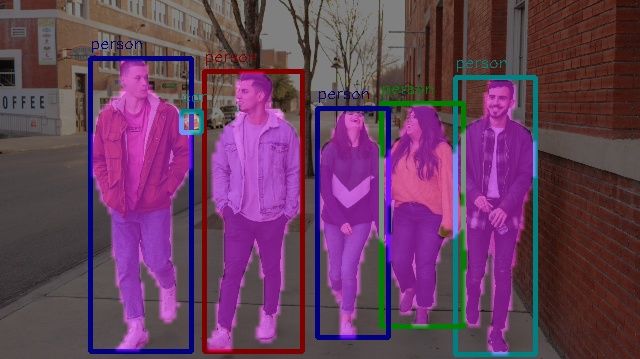
The log indicates that the algorithm performed inference on the input image config/test.jpg, and the rendered result was saved as render_feedback_0_0.jpeg. The rendered image appears as follows: