1.2.1.2 Burning Preparation
Image Download
Note
The RDK S100 comes pre-burned with a test version of the system image. To ensure you are using the latest version of the system, it is recommended to follow this document to burn the latest version of the system image.
The RDK S100 kit currently provides the Ubuntu 22.04 system image, which supports Desktop graphical interaction.
-
[Click here] to download the image.

-
After extraction, you will get the
productfolder with the structure shown below. Ensure that the same folder contains theimg_packagesfolder and thexmodem_toolsfile.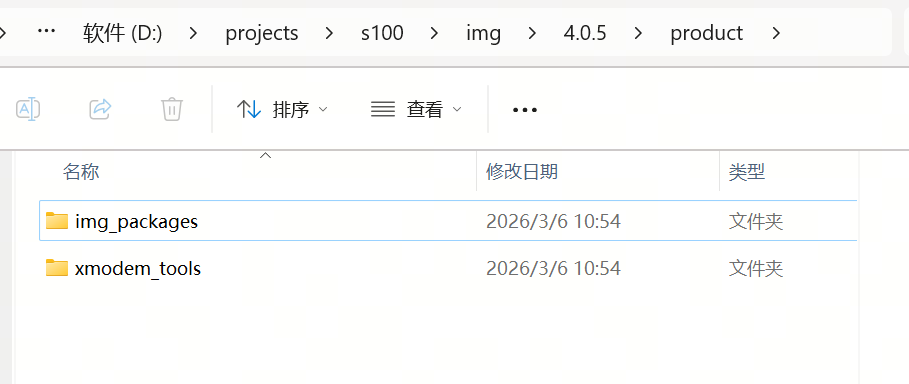
Burning Tool Download
[Click here] to access the burning tool download page. Select the tool and version based on your platform:
Take xburn-gui_1.1.9 as an example:
- For Windows: Download xburn-gui_1.1.9_x64-setup.exe
- For Linux: Download xburn-gui_1.1.9_amd64.deb
- For macOS: Download xburn-gui_1.1.9_universal.dmg