Voice Interaction
- Audio stream processing code: https://github.com/D-Robotics/magicbox_audio_io
- Large language model code: https://ithub.com/D-Robotics/magicbox_qwen_llm
Function Description
-
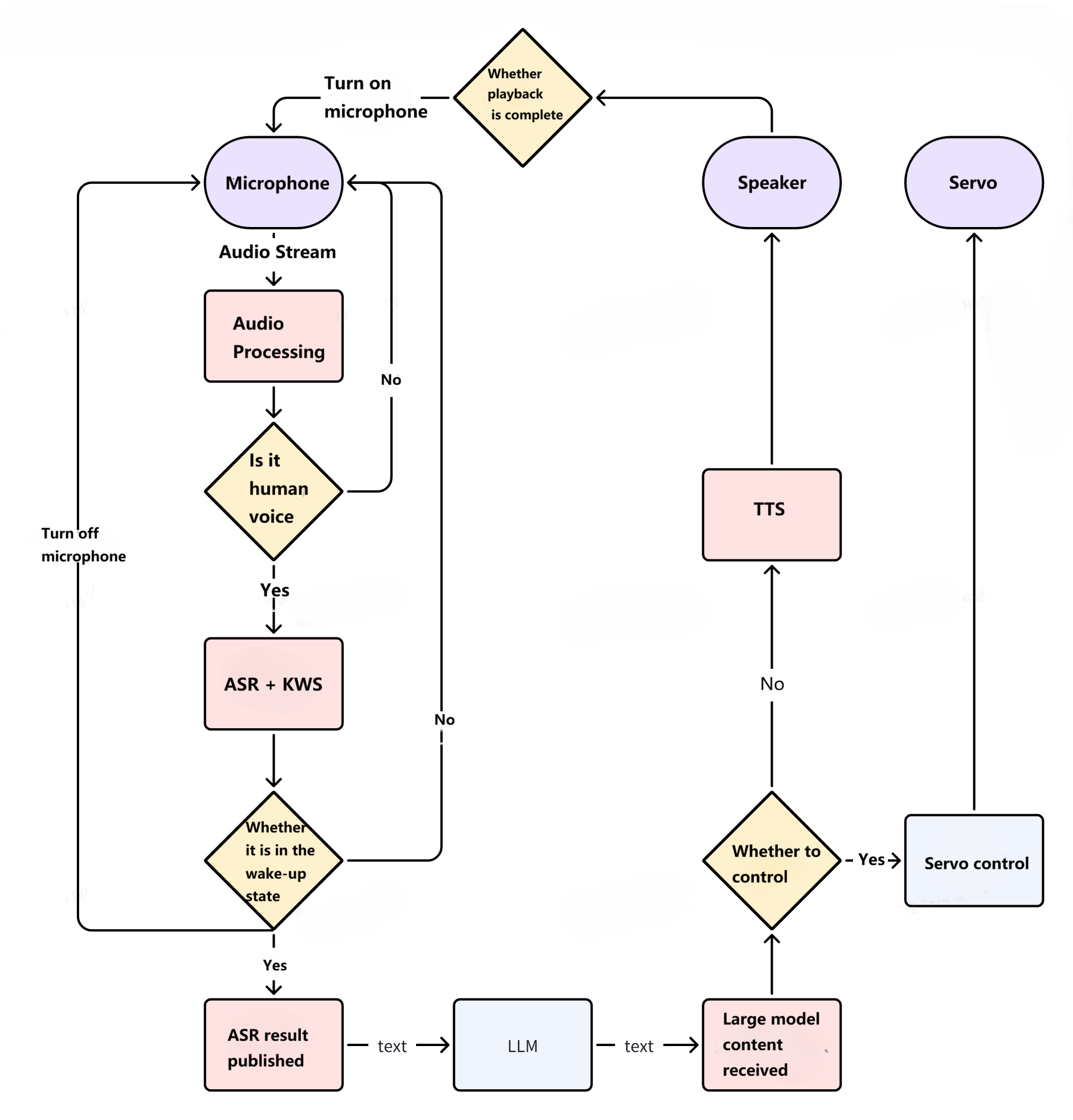
This feature includes an audio processing node and a voice large language model (LLM) node. The LLM uses Qwen2.5-1.5B. ASR is implemented based on SensorVoice, while TTS and KWS are implemented using the Sherpa-onnx framework.
-
In addition to the default continuous conversation mode, it also supports a keyword wake-up mode ("one wake-up, one dialogue"). Users can either say "你好地瓜" to trigger a single round of conversation or directly ask a question by saying "你好地瓜 + [question]". Upon detecting "你好地瓜" the device's lights will flash. This mode can be toggled via the
continuous_wake_modeparameter inaudio_io.launch.py. -
Besides the default voice conversation capability, voice control is also supported. However, enabling this feature adds a significant number of additional prompts, resulting in longer loading times. Refer to the
enable_function_callparameter inqwen_llm.launch.pyfor configuration. After startup, commands such as “举起右手”、“右手举到最高”、“站起来”、“坐下” can be used for control. -
Due to the lengthy initialization time of the audio processing node, this node starts automatically upon boot. The physical button only controls the start/stop of the large language model node; however, both nodes wait for each other to be ready before beginning operation.
-
Functional architecture diagram: