2.2 srpi-config Tool Configuration
Introduction
srpi-config is a system configuration tool. To open the configuration tool, please enter the following command in the command line:
sudo srpi-config
sudo is a privilege escalation command and must be entered here to perform configuration management with root permissions. The default
sunriseaccount does not have system file modification permissions.
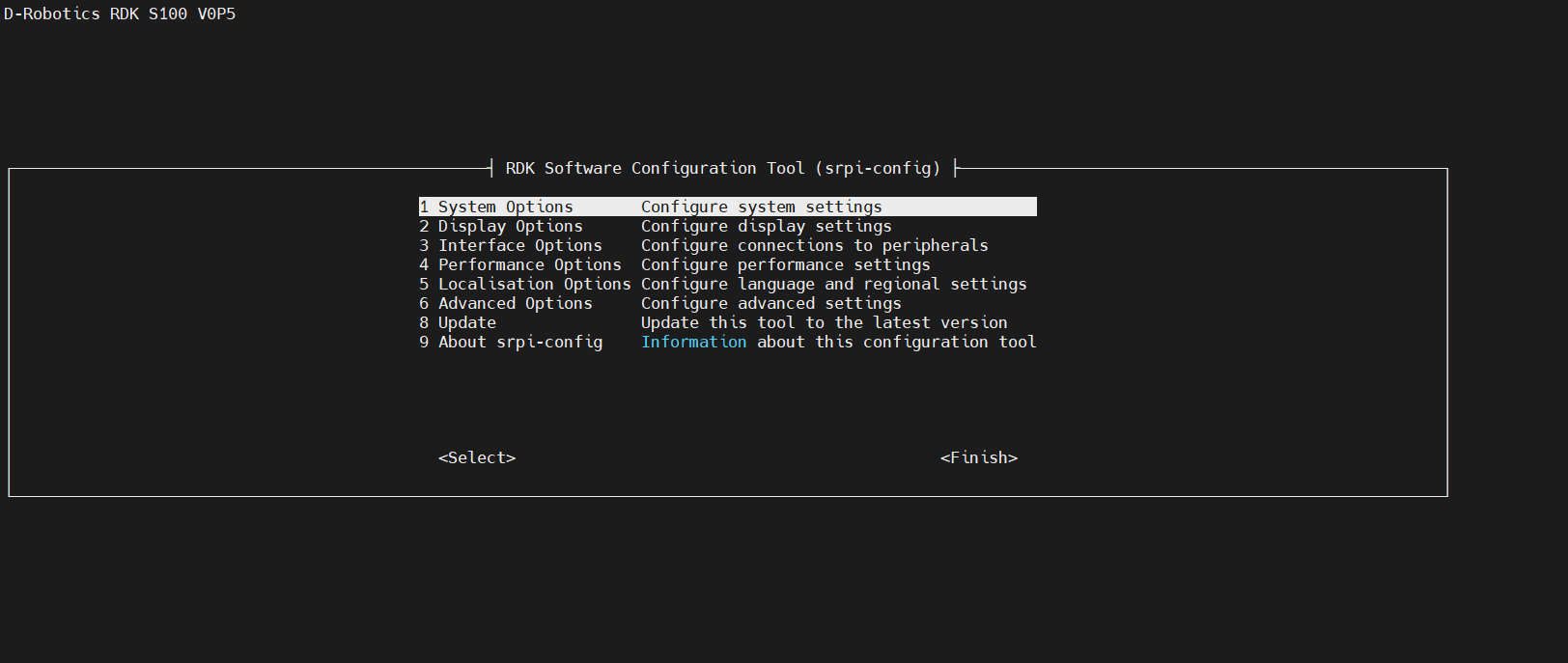
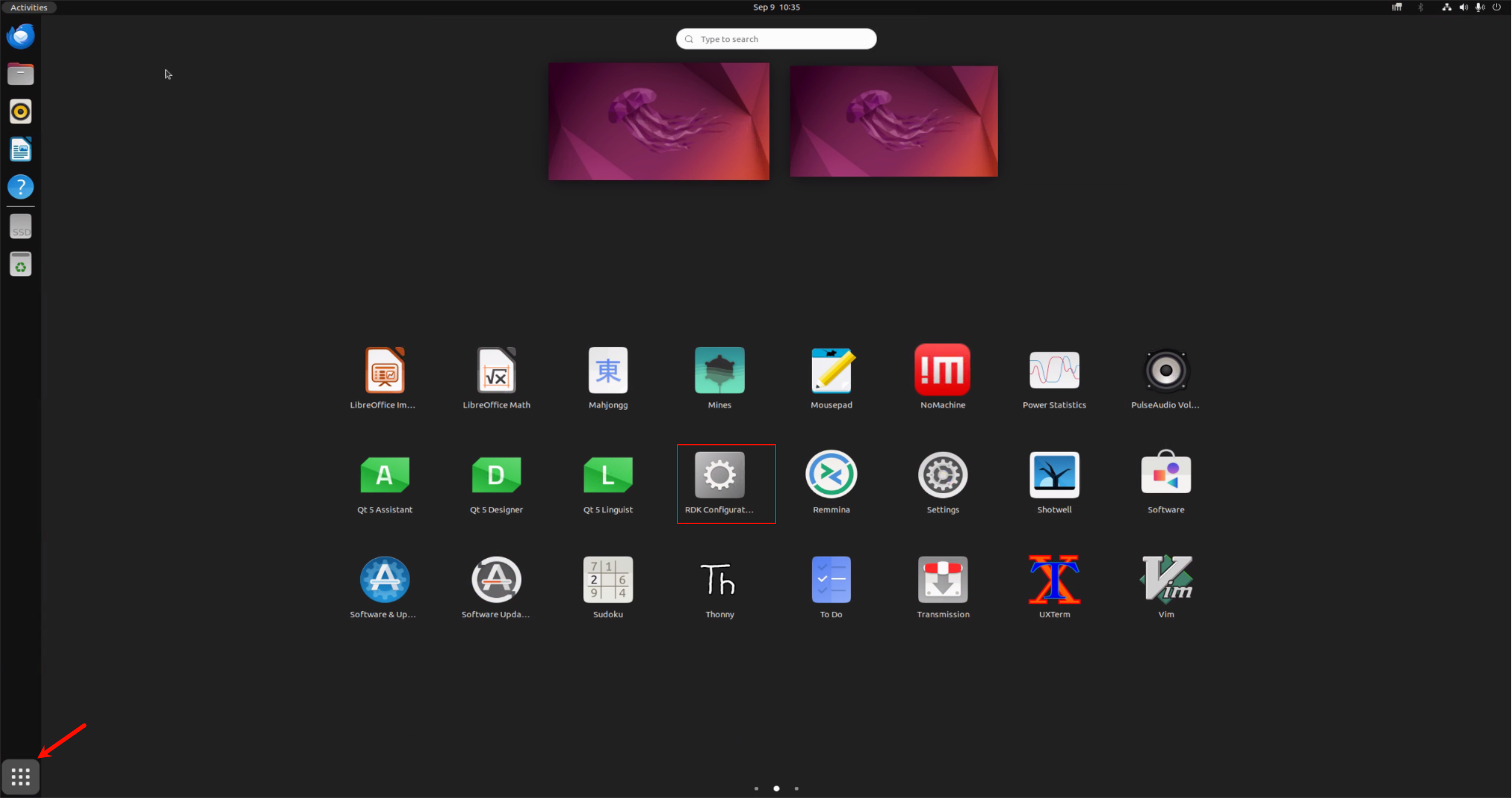
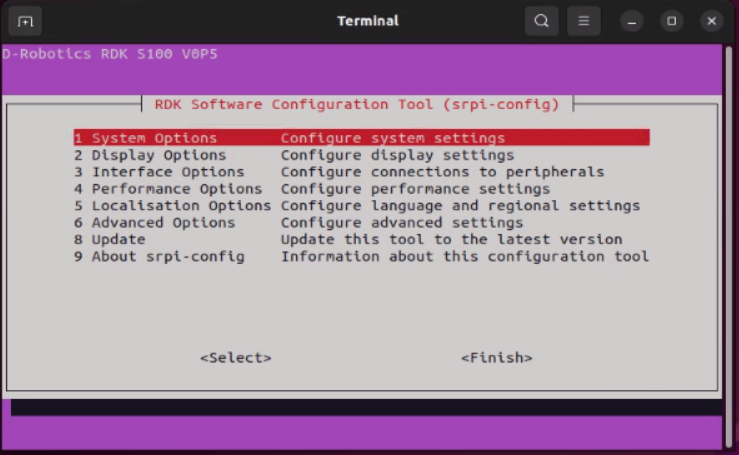
If you are using a desktop system, you can find the RDK Configuration application in the menu to perform configuration. This will open the same configuration terminal as shown above. The difference in background color is related to the terminal environment variable TERM when opening the terminal.
System Options
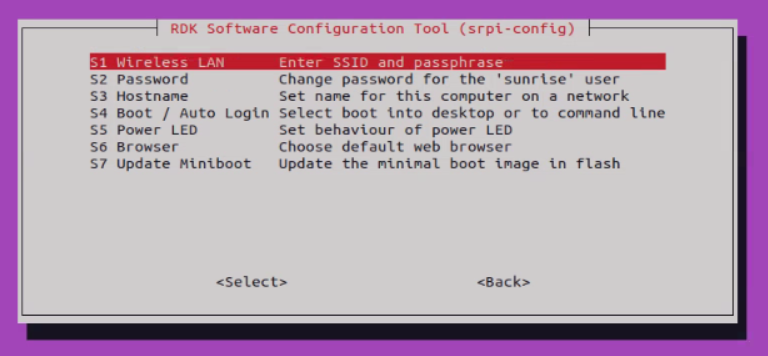
The System Options menu allows you to make configuration changes to various parts such as Wi-Fi network, user password, hostname, system login mode, browser selection, etc., as well as some system-level changes.
-
Wireless LAN
Set the
SSIDandpasswordfor the wireless network. -
Password
Change the "default" user password. The default account is
sunrise. -
Hostname
Set the visible name of the current device on the network.
-
Boot / Auto login
Choose whether to boot to console or desktop, and whether auto-login is required. If auto-login is selected, the system will use the default account
sunrisefor login. -
Power LED
If the RDK model allows it, you can change the behavior of the power LED in this option. The default is off or blinking.
-
Browser
If you are using a desktop system, you can set the default browser. Without configuration,
firefoxis used by default. Users can install thechromiumbrowser via the commandsudo apt install chromium. -
Update Miniboot
If you need to upgrade Miniboot-related partitions, you can perform operations in this option. For the specific upgrade principle and partitions involved in the upgrade, please refer to: Miniboot Upgrade.
Interface Options
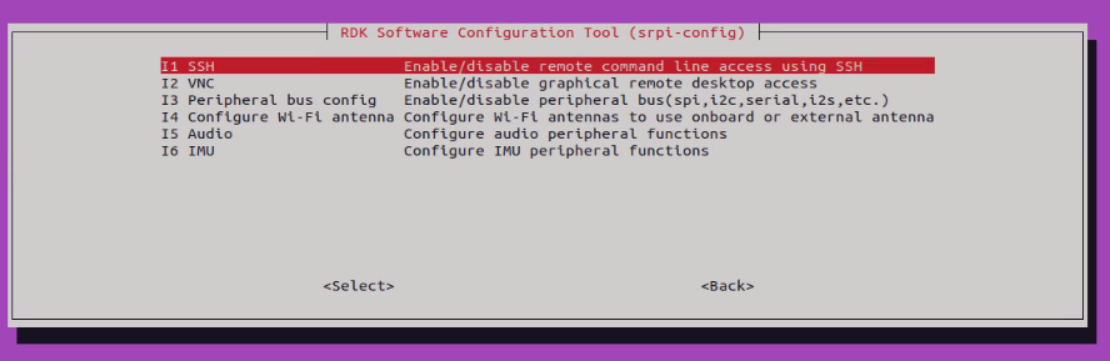
The Interface Options menu has the following options to enable/disable: SSH, peripherals, etc.
-
SSH
Enable/disable remote login to the
RDKvia SSH. By default, the system has the SSH option enabled. -
VNC
S100 is currently adapting to VNC;
-
Peripheral Configuration
It is recommended to refer to config.txt File Configuration for peripheral configuration;
Performance Options
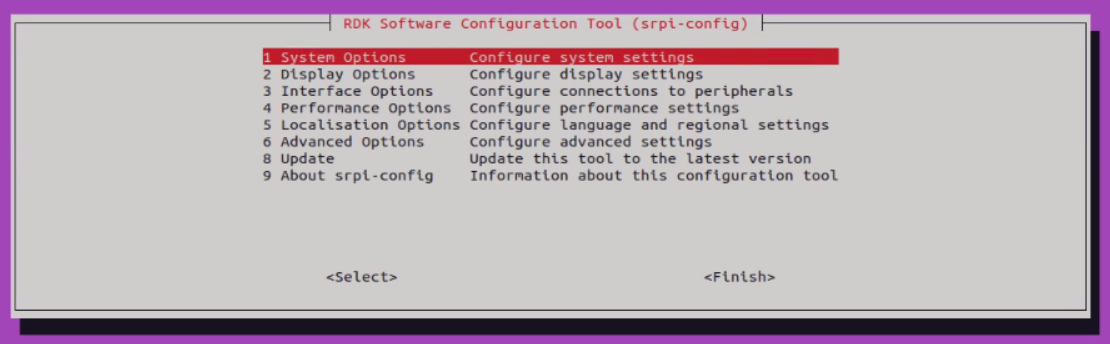
The Performance Options include CPU running mode and frequency settings, adjusting ION memory size, etc.
-
ION memory
You can configure the common size of ION memory through this option.
ION memory is the physical memory space reserved for BPU and image/video multimedia functions. The default configuration size is 672MB. If you need to run larger algorithm models and encode/decode multiple video streams simultaneously, please adjust this memory size according to specific needs.
Localisation Options
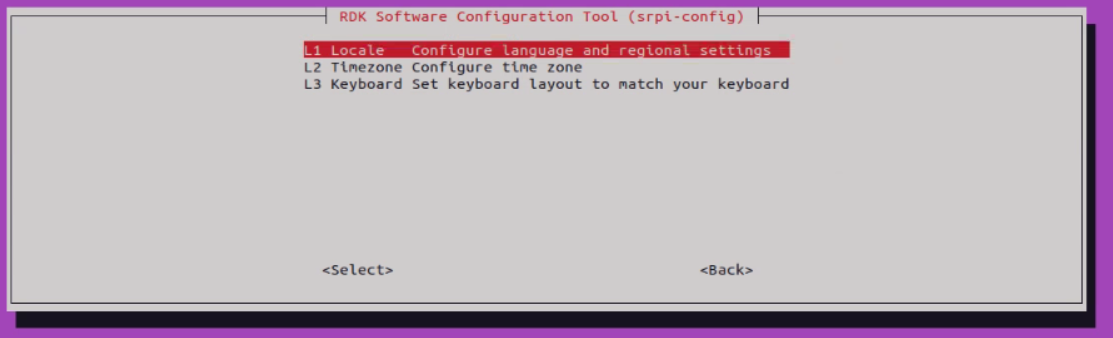
The Localisation Options provide you with the following options to choose from: local language, time zone, keyboard layout.
-
Locale
Select a language environment, for example, configure a Chinese environment as
zh_CN.UTF-8, which takes effect after restart. -
Time Zone
Select your local time zone, starting from the region, for example, Asia, and then select a city, for example, Shanghai. Type a letter to jump down the list to that point in the alphabet.
-
Keyboard
Reading all keyboard types takes a long time to display. Changes usually take effect immediately, but may require a restart.
Advanced Options
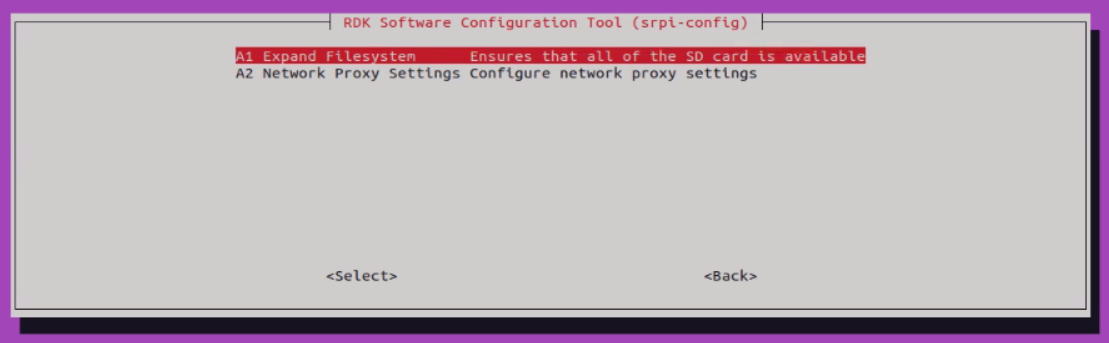
The Advanced Options allow you to set options such as disk expansion, network proxy, etc.
-
Expand Filesystem
This option will expand the filesystem to fill the entire storage medium (S100 defaults to eMMC), providing more space for the filesystem.
-
Network Proxy Settings
Configure network proxy settings.
Update
Update the srpi-config tool to the latest version.
About srpi-config
Information about srpi-config
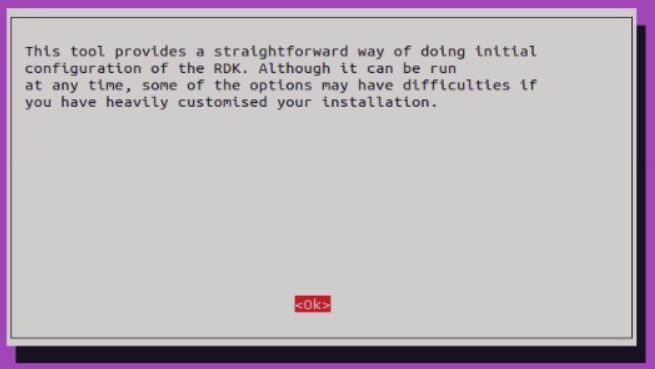
Selecting this option will display the following information:
Finish Button
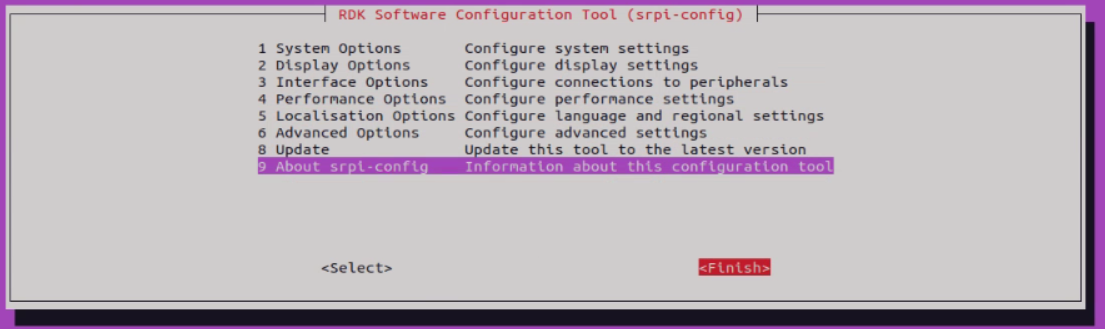
After completing the changes, select the Finish button. For system configurations provided by srpi-config that depend on restart to take effect, it will ask you whether you want to restart. If you do not restart, the configuration will not take effect normally. Please decide on the restart timing according to your usage.